Your website should be your hardest-working employee, not just a digital business card. By the end of this guide, you'll have a clear, practical plan to turn your website into a 24/7 lead generator that books jobs for you—without needing a marketing degree or a huge budget.
Turn Your Website From a Brochure Into Your Best Employee
Let's be honest. Most contractor websites are just online brochures. They list a few services, show a phone number, and then just sit there, waiting for someone to find them by accident. They don't do anything to bring in business.
A website that actually works is designed to solve your customer's problem. Whether they have a burst pipe at midnight or are planning a kitchen remodel, your site should guide them straight to hiring you. This isn’t about flashy tech; it’s about a smart, simple setup that makes your phone ring.
From Cost Center to Profit Center: What a Good Website Does
The biggest difference is its purpose. A brochure site just gives information. A "lead machine" website persuades visitors to act. It's built to make a homeowner feel confident in your work and make it incredibly easy for them to get in touch.
Here's what that looks like in the real world:
| Feature | Passive Brochure Website (Costs You Money) | Active Lead Machine Website (Makes You Money) |
|---|---|---|
| Primary Goal | Provides basic information. | Captures leads and books jobs. |
| Customer Path | Visitors wander around hoping to find what they need. | Guides visitors to one specific action (call, book, quote). |
| Content | Lists services and contact details. | Shows proof of your work, answers common questions, and builds trust. |
| Local Search | Hard for local customers to find on Google. | Shows up when people in your town search for your services. |
| Mobile Use | Looks clunky or broken on a phone. | Works perfectly on a phone for customers on the go. |
| Call to Action | Vague or hidden contact info. | Big, clear "Call Now" or "Get a Quote" buttons on every page. |
In short, one is just another business expense. The other is an asset that brings in new jobs.
This simple diagram shows exactly what I mean—transforming a passive site into a functional tool that brings in business.
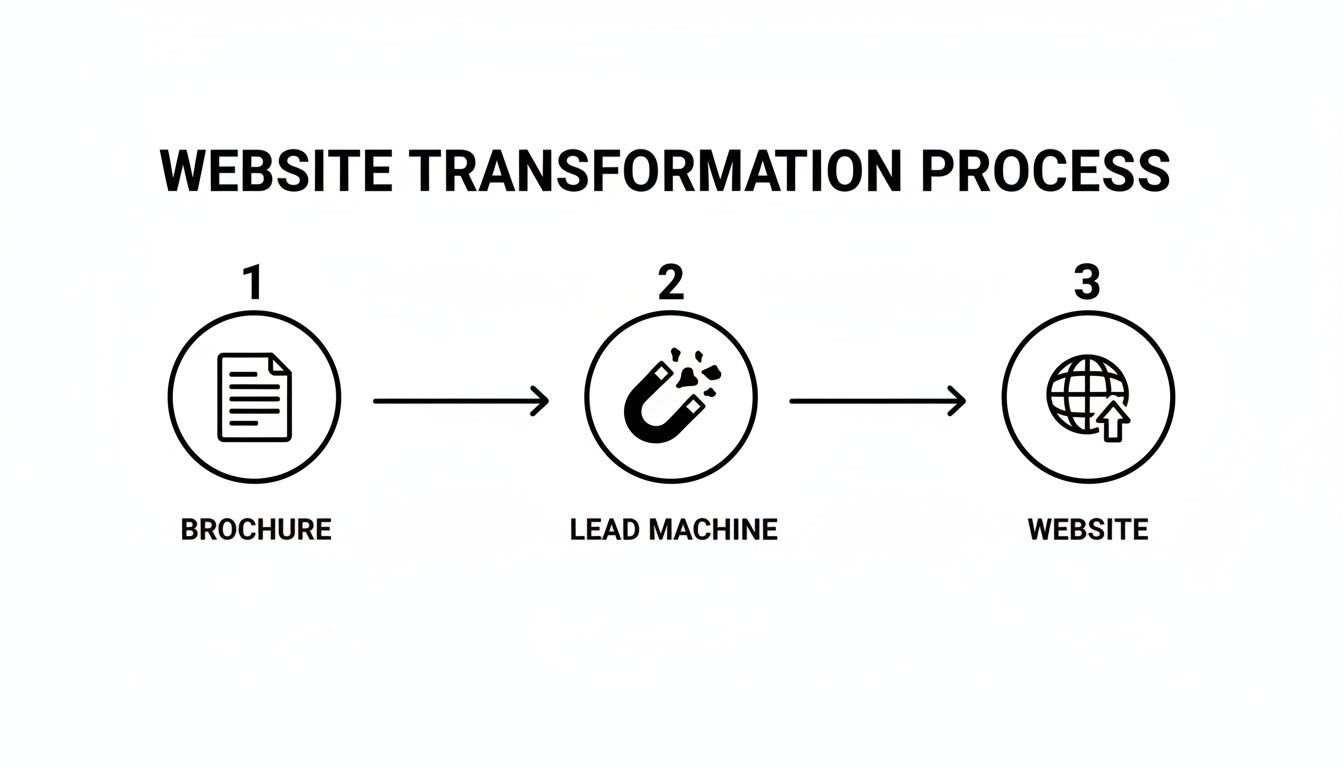
The goal is to create a tool that actively attracts and captures leads, not just a static page of information.
Design That Actually Drives Revenue
For home service businesses, good design isn't about looking fancy—it’s about getting results. The numbers prove it. Websites built specifically for this industry get way more leads: plumbing sites hit 15.61%, pest control reaches 15.52%, and HVAC companies see 15.11%.
Those numbers crush the average for other industries, which is just 3.68%. It’s proof that a focused design directly translates to more jobs on your schedule.
Your website should function like your best salesperson. It needs to show up, build trust, answer questions, and close the deal—all without you lifting a finger.
To get these kinds of results, you need a site built by people who understand your industry. Investing in specialized website design for home improvement companies ensures every single element, from the homepage layout to the contact form, is built with one goal in mind: growing your business.
The Essential Pages Every Contractor Website Needs

Feeling overwhelmed by what pages to include? Let's cut through the noise. You don't need a huge, complicated site to get more leads. You just need a handful of core pages that do their job well.
Think of it like loading your tool belt. You don’t bring every tool you own; you bring the essentials that get the work done. For a website that actually books jobs, you only need these four pages.
The Homepage: Your Digital Handshake
This is your first impression. When a potential customer lands here, they need to know three things instantly: what you do, where you do it, and how to get in touch.
Your homepage has to grab attention and build trust in seconds. This isn't the place for a long story about your company. It’s where you make a clear promise to solve their problem.
Before (A common mistake): The homepage is cluttered with too much text and the phone number is hard to find.
After (What works): The page has a clear headline like "Reliable Plumbing in Springfield," a huge phone number at the top, and a bright "Get a Free Estimate" button.
A solid homepage includes:
- A No-Nonsense Headline: "Reliable Plumbing Services in Springfield" or "Expert Roof Repair You Can Trust."
- A Can't-Miss Phone Number: Make it big, stick it at the top, and ensure it’s a "click-to-call" link on mobile.
- A Clear Call-to-Action (CTA): A bright, obvious button that says "Get a Free Estimate" or "Schedule Service Now."
- Real Social Proof: A few of your best customer testimonials or 5-star reviews.
- Authentic Photos: Show your actual team on the job. Ditch the generic stock photos—people can spot them a mile away.
Service Pages: Your Digital Sales Pitch
Don't cram all your services onto one generic page. You need a separate page for each major service you offer, like "Drain Cleaning," "Water Heater Installation," or "Emergency Leak Repair." This is critical for showing up in Google when someone searches for those specific jobs.
On each page, explain the problem, outline your solution, and tell them why you’re the right choice. Answer their questions before they even ask. And, of course, end with a strong button to get a quote for that specific service.
Pro Tip: Put yourself in your customer’s shoes. A homeowner with a problem isn't Googling "plumbing services." They're searching for "leaky faucet repair" or "help my toilet is clogged." Your page titles and content need to match their exact words.
About Page: Your Trust Builder
People hire people they know, like, and trust. Your "About" page is your best chance to show the real humans behind the business and build that crucial connection. You don’t need a stuffy, corporate biography. Just be genuine.
- Share Your Mission: In a sentence or two, explain why you started this business.
- Introduce Your Crew: A photo of you or your team in your work gear goes a long way.
- Flash Your Credentials: This is the spot to mention you're licensed, bonded, and insured. For a homeowner, seeing this is a massive sigh of relief.
Contact Page: The Finish Line
You’ve convinced them. Now, make it incredibly easy for them to hire you. Your contact page should be simple and friction-free.
Include your phone number, your email, and a simple contact form. Only ask for the absolute essentials: name, phone, email, and a quick message about their needs. Don't forget to list the specific towns or neighborhoods you serve. This reinforces that you're a local expert and helps you show up in local Google searches.
Designing for Trust and Action to Convert More Visitors
When a potential customer lands on your website, you have about three seconds to earn their trust. In that tiny window, they're making a snap judgment: are you a pro, or just another faceless company?
Your website's design isn't just about looking good; it's about building instant confidence. It needs to convince a homeowner that you're a real, reliable expert who does quality work.
Ditch Stock Photos for Authentic Images
Want to look just like every other contractor out there? Use generic stock photos. We've all seen them—the perfectly clean models in stiff uniforms holding tools that have never seen a day of work. Your customers can spot these a mile away, and it screams "fake."
Nothing works better than showing the real people who will be showing up at their door.
- Before (Generic): A stock photo of a smiling actor wearing a hard hat.
- After (Authentic): A real photo of your crew standing by the company truck. It’s relatable and proves you’re a legitimate business.
Show your team, show before-and-after shots of your work, and show your process. These genuine images create an immediate human connection and prove you take pride in your work.
Your website’s photos should tell a story of professionalism and quality. They are your silent salesperson, building trust visually and instantly.
Put Your Proof Front and Center
Don't make people dig for reasons to hire you. Sprinkle your credentials, awards, and happy customer quotes throughout the site where they simply can't be missed.
Seeing that you're licensed, insured, or have a string of 5-star reviews provides an immediate sense of relief for a homeowner. This is especially vital in an industry where 71% of consumers are looking for personalized service, yet only 34% of brands seem to deliver. And with 78% of local mobile searches resulting in a purchase within 24 hours, building that trust fast is the key to winning their business.
Place these trust signals where they can't be missed:
- Customer Testimonials: Weave short, powerful quotes right onto your homepage.
- Licenses & Certifications: Add the logos or your license numbers to the footer of every page.
- 5-Star Ratings: A simple graphic showing your average rating from Google or Yelp is incredibly effective.
Master the Call to Action
You've earned their trust. Now what? You have to tell them exactly what to do next. That's the job of a Call to Action (CTA)—a button or link that guides them to take the next step. A vague CTA like "Learn More" is weak. A strong one is direct and action-focused.
Weak and Forgettable:
- Contact Us for Information
Strong and Clear:
- Get a Free Estimate Now
- Schedule Your Service Call
- Call Now for Emergency Service
Your goal is to make it ridiculously easy for a visitor to become a customer. Place these bright, impossible-to-miss buttons on every single page. And always make sure your phone number is a click-to-call link. Remove every bit of friction between them needing your service and booking the job. For a deeper dive, check out our guide on essential website design for small business.
Winning Local Search With Simple Contractor SEO
"SEO" probably sounds complicated. But for a local contractor, it just means one thing: showing up when someone nearby needs your services. You don't need to be a marketing genius; you just need to get the basics right.
Think of it this way: your website is your digital storefront. Local SEO is the big, bright sign out front that tells Google exactly where you are and what you do. It’s what makes sure that when a homeowner in your town searches for a plumber, electrician, or roofer, your business pops up first. By the end of this section, you'll know how to make your business the obvious choice for local customers.
Your Most Powerful Local SEO Tool
Your Google Business Profile (GBP) is, by far, your most important tool for getting local customers. It's that free listing that shows up in Google Maps and the "local pack" search results. If you ignore it, you’re leaving money on the table.
Setting it up correctly is non-negotiable.
- Claim and Verify It: First, make sure you have full control over your business listing.
- Fill Out Everything: Don't get lazy. Add your hours, service areas, and plenty of photos of your work. Most importantly, link back to your website.
- Choose the Right Categories: Be specific. Instead of just "Contractor," choose "Plumber" or "Residential Electrician."
Once it's filled out, connecting it to your website signals to Google that you're a legitimate, local operation—a massive trust-builder in their eyes.
The Power of NAP Consistency
One of the fastest ways to confuse Google—and hurt your ranking—is to have different business info floating around online. This is where NAP consistency comes in. It stands for Name, Address, and Phone Number.
Your NAP needs to be identical everywhere it appears online: your website, your Google Business Profile, Yelp, Angi, and any other local directory.
If your website says "123 Main St." but your Google profile says "123 Main Street," Google’s system sees that as a red flag. These tiny inconsistencies can hurt your ability to show up in local searches.
Do a quick check and make sure every single listing is a perfect match. This one simple step proves to search engines that you are who you say you are.
Speaking Your Customer's Language
Finally, let's talk about your service pages. You need to design them for the actual towns you work in. A homeowner doesn't just search for "roofing services"; they search for "roofer in Springfield."
That's why it's so powerful to create specific pages on your website dedicated to your main services in your core locations. For example, build a page titled "Water Heater Repair in Springfield" and another for "Drain Cleaning in Shelbyville." This simple tactic helps you show up for those high-value local searches, connecting you directly with customers ready to hire someone in their immediate area.
Optimizing for Mobile Where Your Customers Are
Imagine a homeowner finds a burst pipe in their basement at 10 PM. Are they running to their desktop computer to find a plumber? No. They’re pulling out their smartphone, frantically searching for someone who can help, right now. This is the moment of truth, and it happens on a small screen.
Your website can't just be "mobile-friendly." It needs to be built with a mobile-first mindset. This means you design the entire experience for the person using their thumb first, then worry about how it looks on a big screen later.
Before: A customer has to pinch and zoom to find your phone number on their phone. They get frustrated and leave.
After: Your phone number is a huge, tappable button at the top of the screen. They call you in one click and you get the job.
Make It Easy for On-The-Go Customers
When someone is on their phone, they're in a hurry. They need answers and a way to contact you immediately. Your mobile site's entire job is to be fast, clear, and incredibly simple.
Here’s a no-nonsense checklist for a mobile design that gets your phone to ring:
- Big, Tappable Buttons: Your "Get a Quote" and "Schedule Now" buttons should be impossible to miss and easy to tap with a thumb.
- Click-to-Call Everywhere: Your phone number must be at the top of every page and be a link that starts a phone call when tapped. This is non-negotiable for getting urgent jobs.
- Simplified Forms: On mobile, keep contact forms to the bare essentials: name, phone number, and a quick description of the problem. Long forms kill leads.
Speed Isn't a Suggestion—It's a Requirement
The most important factor for your mobile site? Raw speed. Mobile drives 80% of all digital traffic for contractors. The data is clear: a staggering 53% of mobile visitors will leave if your site takes more than three seconds to load. You can dig deeper into these trends with the latest home service website research.
A slow website is the digital equivalent of putting a customer on hold for five minutes. By the time you get back to them, they’ve already hung up and called your competitor.
In a world where 94% of customers book faster when online scheduling is available, every second matters. Your mobile experience has to be lightning-fast and laser-focused on turning a visitor with an urgent problem into your next scheduled job.
Common Website Questions From Contractors
You’re busy running your business, so let's cut to the chase. Here are the questions I hear most often from contractors about websites. No jargon, just straight answers.
How Much Should a Good Home Services Website Cost?
Prices are all over the map, but a solid, professional site shouldn't break the bank. Working with a freelancer, you can expect to invest anywhere from $1,500 to $5,000 for a custom site that is designed to get leads.
A word of caution: be skeptical of those "$500 website" deals. They almost always cut corners on the critical stuff like being mobile-friendly and local search optimization, which means your phone won't ring. You end up losing more in missed jobs than you saved.
Think of it as an investment. A well-built site that brings in just one or two extra jobs a month pays for itself quickly. The goal is a home services website design that generates leads, not just a digital brochure. If you want to dig deeper into the numbers, our guide on how much a small business website costs breaks it all down.
Do I Really Need a Blog on My Contractor Website?
Honestly? No, you don't need a typical "blog." What you do need is a section on your site called something like "Resources" or "Expert Advice."
Forget writing about company news. Instead, create helpful articles that answer the exact questions your customers ask you every day.
- "How can I tell if my water heater is about to fail?"
- "What are the biggest signs I need a roof repair?"
- "Tips for choosing the right AC unit for a [Your City] home."
This does two things. First, it instantly positions you as the go-to expert in your area. More importantly, it helps you show up on Google when people are searching for solutions to their problems—precisely when they're looking to hire someone.
What Is the Most Important Thing on My Homepage?
Your phone number and a big, obvious button that says something like "Get a Free Estimate." That's it.
When a homeowner with a burst pipe or a leaky roof lands on your site, they're in a hurry. They need to contact you now. Your phone number has to be right at the top, and it absolutely must be "click-to-call" on a smartphone.
Your main call-to-action button should be impossible to miss. Great photos and glowing testimonials are important for building trust, but making it ridiculously easy for a customer to contact you is your homepage's number one job.
Don't make a potential customer hunt for your contact information. If they have to search for more than three seconds, you’ve already lost the job to a competitor whose number was easier to find.
How Can I Get More Reviews to Display on My Website?
This is simpler than you think: you just have to ask. Make it a standard part of finishing every single job.
Once the work is done and you have a happy customer, send a quick follow-up email or text with a direct link to your Google Business Profile review page.
You can keep it simple: "We'd really appreciate it if you could take 30 seconds to leave us a review!" Many modern website tools can even pull your latest Google reviews and display them automatically on your site, giving you a constant stream of fresh social proof. This builds massive trust with new visitors before they even pick up the phone.
Ready to build a website that works as hard as you do? The ReadyWeb AI Blog provides straightforward tips and AI-powered workflows to help contractors and small business owners create high-performing websites without the technical headaches. Explore more at https://blog.readywebai.com.