It’s time to stop thinking of your website as a digital business card. A truly effective website for a service business works around the clock to find, qualify, and win new clients for you. It’s your best employee—one that never sleeps, takes a vacation, or asks for a raise.
By the end of this guide, you'll know exactly how to turn your website into a 24/7 lead generator that brings in better customers and gives you back your time. We'll skip the confusing tech jargon and focus on practical steps that get real results.
Your Website Is Your Hardest Working Employee
If you’re a contractor, consultant, or solo operator, your time is your most valuable asset. Every minute you spend answering the same questions or chasing down leads that go nowhere is a minute you aren't earning money.
This is where a smart website changes everything. It’s not about having a pretty online brochure; it's about building an automated system that handles the grunt work so you can focus on your actual job.
What a Smart Website Actually Does
A great service website isn't just a placeholder. It actively works to grow your business by handling key jobs that free you up.
Here’s what it should be doing for you:
- Finding New Customers: It puts your business in front of people searching on Google for the exact services you offer, right in your local area.
- Building Instant Trust: It showcases your expertise with project photos, customer reviews, and a professional design that convinces visitors you're the right choice before they even speak to you.
- Answering Common Questions: It clearly explains your services, process, and what makes you different. This automatically filters out tire-kickers and anyone who isn't a good fit, saving you from pointless phone calls.
- Booking Appointments: It gives potential clients a dead-simple way to schedule a call, request a quote, or book a consultation directly through your site—even while you're on a job or asleep.
Think of it this way: Your website is your virtual storefront, sales rep, and receptionist all rolled into one. Its job is to make a potential client’s journey from curious visitor to paying customer as smooth as possible.
This guide is your step-by-step plan to build that exact system. If you want a deeper dive into choosing the right platform first, you can learn more about the best small business website builders in our detailed article. Here, we’ll focus on the essential pages, trust signals, and simple design choices that deliver real-world results.
Laying the Foundation for a Lead-Generating Website
Before you even think about picking colors or designing a logo, you need a solid plan for your website's pages. A great website for a service business is like a well-built house—it needs a simple, logical foundation. This just means creating a clear layout that guides visitors exactly where you want them to go.
Think of it as a map for your potential customers. The moment they land on your site, they should instantly understand what you do, who you are, and how to hire you. No guesswork, no confusion.
Your Website’s Core Mission
Every single page on your site should be working towards one of three core jobs. Your website is your best employee, working 24/7 to do the heavy lifting for your business.
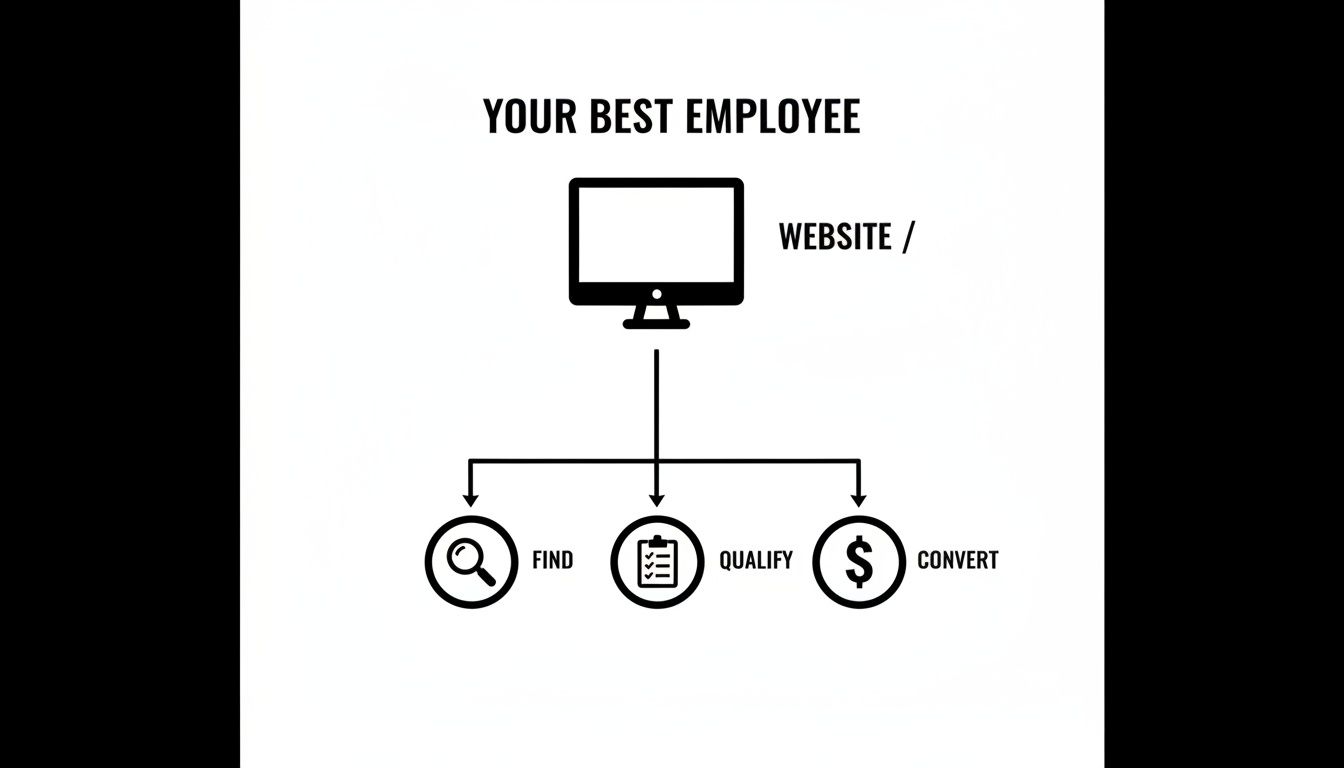
This flowchart breaks it down simply. Your site needs to find potential clients (through Google), qualify them by answering their questions and building trust, and finally, convert them into actual leads by making it easy to contact you.
Getting this right is crucial. Just having a website isn't enough. Recent data shows that while nearly 73% of U.S. small businesses have a website, a staggering 21% of owners say their biggest challenge is getting anyone to visit it. A well-structured site is the first and most important step toward fixing that problem.
The Four Essential Pages Every Service Business Needs
You don’t need a massive, 20-page website to be effective. In fact, starting with just a few focused pages is far better than a cluttered, confusing mess.
Here’s a breakdown of the core pages your service website absolutely must have. Each one has a specific job to do.
Essential Pages for Your Service Website
| Page Name | Main Purpose | Key Question It Answers for a Visitor |
|---|---|---|
| Homepage | Make a strong first impression and guide visitors to other pages. | "Am I in the right place, and what can you do for me?" |
| Services Page | Detail your offerings and explain the benefits of each one. | "How, specifically, can you solve my problem?" |
| About Page | Build trust by sharing your story and expertise. | "Why should I trust you over your competitors?" |
| Contact Page | Provide clear, simple ways for potential clients to get in touch. | "How can I hire you or ask a question?" |
Focusing on these four pages first ensures you cover all the bases. You're grabbing attention, explaining your value, building trust, and giving people a clear path to take action.
A common mistake is trying to cram everything onto the homepage. By giving each of these topics its own dedicated page, you make your site far easier to navigate and appear much more professional.
By building this simple but solid foundation, you’re creating an experience that smoothly guides visitors toward becoming paying customers. You can find more practical advice for making these pages shine in our complete guide to website design for small business.
Designing Your Website to Convert Visitors Into Leads
A great-looking website is nice, but a website for a service business that actually gets you clients? That's essential. The best design isn't about flashy animations; it's about making it dead simple for a potential customer to say "yes" and hire you.
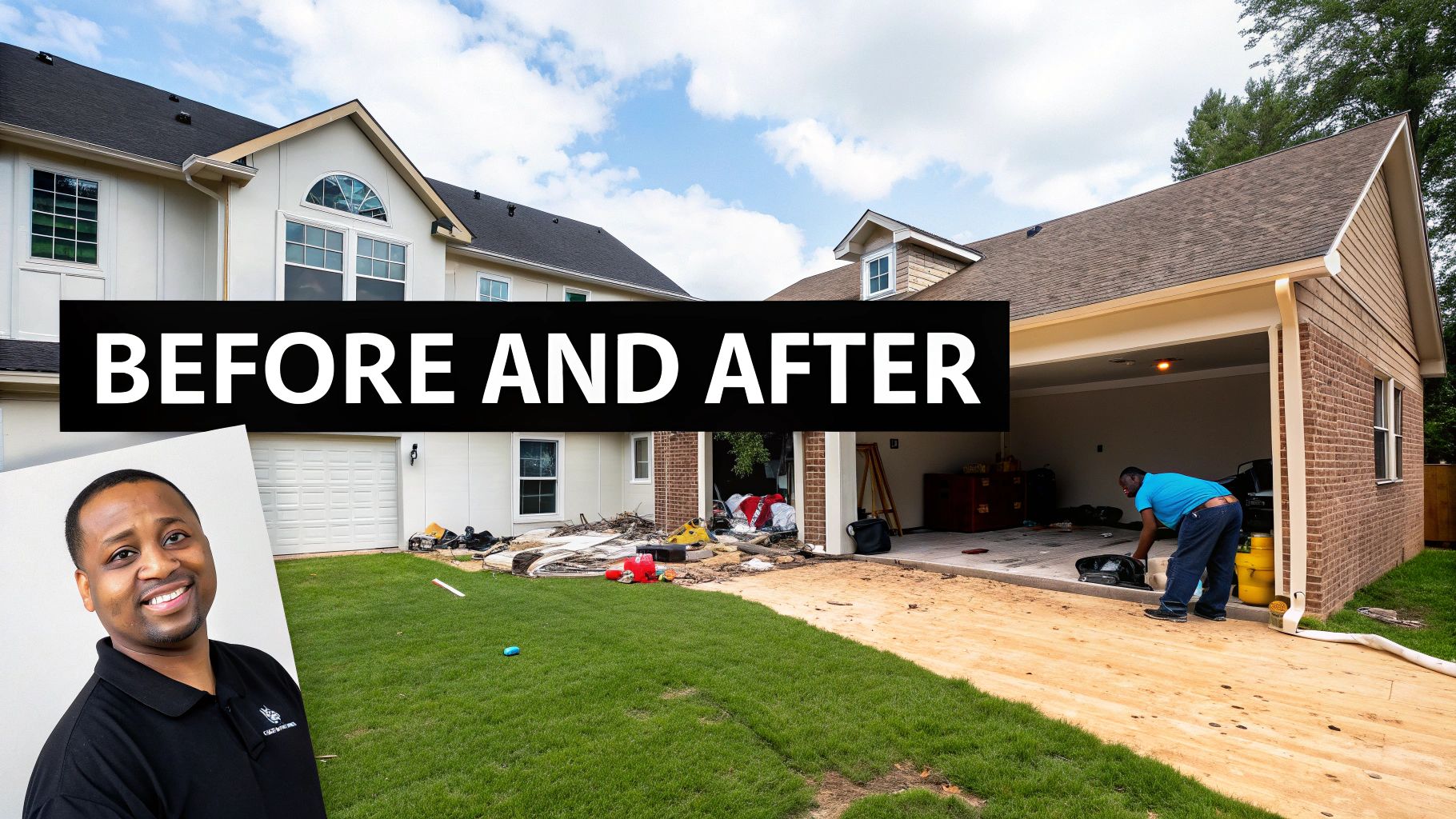
Before: A website is just a pretty online brochure.
After: Every part of your website, from the buttons to your phone number, is designed to get a visitor to contact you. This is how your website goes from being a cost to an investment that brings in leads.
Make It Obvious How to Contact You
When a potential client lands on your site, they shouldn't have to go on a scavenger hunt for your contact details. Their problem is urgent, and they need a solution now. Your job is to make your phone number and contact info impossible to miss.
The easiest win? Put your phone number in the top right-hand corner of every single page. It's where people’s eyes naturally look. And make sure it’s a “click-to-call” link. This lets visitors on their phones dial you with a single tap.
Create Clear and Compelling Calls-to-Action
A Call-to-Action (CTA) is just a button or link that tells a visitor what to do next. Vague CTAs like "Learn More" or "Submit" don't work. You need strong, action-oriented language that promises a specific outcome.
Example Comparison:
| Vague (Bad) CTA | Specific (Good) CTA |
|---|---|
| "Contact Us" | "Get a Free Quote Today" |
| "Learn More" | "Schedule Your Free Consultation" |
| "Submit" | "Request Your Free Estimate" |
See the difference? The good examples are specific and speak directly to what the visitor wants. Use bright, contrasting colors for your CTA buttons so they stand out. To know for sure what's working, you can set up conversion tracking—a simple tool that shows which buttons are driving the most leads.
Simplify Your Contact Form
Nobody likes filling out long, complicated forms. When someone is ready to reach out, your form should be quick and painless. Only ask for what you absolutely need to start a conversation.
For most service businesses, this is all you need:
- Name
- Email Address
- Phone Number
- A simple message box (e.g., "How can we help?")
Pro Tip: Try to keep your form to four fields or fewer. Every extra field you add lowers the chance someone will complete it. Make their life easy, and they’ll be far more likely to become your next client. For contractors, streamlining this process is a game-changer, something we cover in our guide to building a professional website for contractors.
Finally, don't overlook speed. If your website is slow, people will leave. Studies have shown that pages loading in just one second can get almost 40% more leads. A fast website isn't just a "nice-to-have"—it's a profitable one.
Building Trust Before You Even Meet a Client
In the service business, trust is everything. A potential client has to believe you're reliable and professional before they even think about picking up the phone. Your website is your 24/7 trust-building machine.
Think of your site as your digital handshake. It’s often your very first impression, and it needs to be a strong and credible one. Every photo and every sentence should work together to prove you’re the right choice for the job.
Showcase Your Real Work and Real Results
Nothing sells your skill faster than showing it. People want to see the quality of your work with their own eyes, making a gallery or portfolio page one of your most powerful sales tools.
The goal isn't just to dump photos online. You're telling a story of transformation.
- Before-and-After Photos: If you're a contractor, landscaper, or painter, these are pure gold. They show the real-world value you deliver in a way that words can't match.
- Simple Case Studies: For consultants or coaches, a short case study is incredibly effective. Just outline a client's problem, explain the solution you provided, and highlight the results. A few paragraphs are all it takes.
Critical Tip: Don't use stock photos for your gallery. Ever. Even if your phone photos aren't perfectly polished, their authenticity is 100 times more convincing than a slick, generic image anyone can buy online. Real work builds real trust.
Let Your Happy Customers Do the Talking
You can tell everyone you're the best, but it carries far more weight coming from someone who has already paid for your work. Testimonials and reviews are the modern version of word-of-mouth, and they are absolutely essential.
Don't just hide them on a separate page. Sprinkle your best quotes and five-star reviews throughout your site, placing them on your homepage and next to the relevant services you offer.
Put a Face to the Name
People hire people, not faceless companies. Your "About Us" page is your opportunity to make a human connection. This isn't the place for a dry corporate history; it's where you tell your story.
A great "About" page includes:
- A Photo of You or Your Team: A friendly, professional headshot makes you seem approachable and real.
- Your "Why": Why did you start this business? Sharing your motivation shows you have passion for what you do.
- Your Credentials: This is the spot to mention any licenses, certifications, or industry awards. You worked hard for them, so show them off.
By weaving these trust signals throughout your website, you stop telling visitors you're good and start showing them. That simple shift is what turns a skeptical browser into a confident lead who is ready to get in touch.
Helping Local Customers Find You on Google
So, you've built a professional website for your service business. That's a huge step, but it won't help if nobody can find it. The good news is, you don't need to be a search engine wizard to get noticed by the right people.
The key is focusing on what matters most: showing up when local customers are searching for the exact services you offer.
This is what people call "local SEO" (Search Engine Optimization), which is just a fancy way of saying "getting found by people in your area." When someone in your town Googles "plumber near me" or "realtor in Springfield," you want your business to be one of the first things they see. It's that simple.
Finding the Words Your Customers Use
First, think like your customer. What words are they actually typing into Google when they need your help? A homeowner with a burst pipe isn't searching for "advanced hydrostatic solutions." They're frantically typing "emergency plumber" or "leaky pipe repair."
Take a few minutes and jot down a list of these common-sense phrases. Think about:
- Your Services: "Lawn mowing," "AC repair," "business coaching."
- Your Location: "Landscaper in Springfield," "electrician near downtown."
- Problem-Based Searches: "Fix clogged drain," "help with bookkeeping."
Once you have this list, sprinkle these phrases naturally throughout your website, especially on your homepage and services pages.
Think of it like this: Google's job is to match a searcher's problem with the best solution. By using the same language as your customers, you're telling Google, "Hey, I'm the solution they're looking for!"
Your Most Powerful Local Marketing Tool
Beyond your website, your single most important tool for local search is your Google Business Profile. This is the free listing that appears in Google Maps and the local search results. It shows customers your location, phone number, hours, and—most importantly—your reviews.
For any service business, setting this up is non-negotiable. It’s your digital storefront on the biggest search engine in the world.
Make sure you fill it out completely, add photos of your work, and start encouraging your happy customers to leave reviews. To really make sure local customers can find you, following a complete guide to local listings on Google is essential for getting the most out of this free tool.
When you combine those simple keywords on your site with a strong Google Business Profile, you create a powerful one-two punch that makes it easy for local customers to find you first.
Your Questions About Building a Service Website Answered
Building a website for your service business can bring up a few questions. Here are straight, no-fluff answers to the things I hear most often from other business owners.
Do I Really Need a Blog on My Service Website?
For most new service businesses, the answer is no. A blog is a long-term strategy for attracting search traffic, but it shouldn't be your first priority.
Your immediate focus needs to be on the pages that actually get you paid: your Home, Services, About, and Contact pages. These are the workhorses of your site.
Instead of spending hours writing blog posts, pour that energy into a "Project Gallery" or "Case Studies" section. Nothing sells your skills faster than a gallery of before-and-after photos. It’s instant proof of your expertise and delivers way more immediate impact than a blog ever will.
How Much Should a Website for a Service Business Cost?
The cost can vary, but you can get a great website without breaking the bank.
- The DIY Route ($150-$300 a year): If you're willing to do it yourself, this is your most budget-friendly path. This cost covers your hosting, domain name, and a professional template on a platform like WordPress.
- Hiring a Freelancer ($1,500 – $5,000): For a custom, professional site without the big agency price tag, a good freelancer is a great middle-ground option. This gets you a unique design and saves you a ton of time.
For a new business, starting with a DIY or freelancer site is a smart move. What matters most is that the final product looks professional, works perfectly on mobile phones, and is easy for you to update yourself.
Your website is your home base—the one piece of the internet you completely own and control. Social media is like a rented billboard on a busy highway; it’s great for getting attention, but you don't own the road.
Which Is More Important: My Website or Social Media?
Your website. Period.
Think of it this way: your website is your digital store, and social media is the flyer you hand out to get people to visit. You use social media to catch their eye and draw them into your website, where the real business happens.
With social media, the rules can change overnight, and your reach can disappear. Your website, on the other hand, is an asset you own. It's where you build real credibility, capture leads, and control the entire customer journey. Get your website right first, then use social media to send people to it.
What Is the Single Most Important Thing on My Website?
Your phone number and a clear way to take the next step. The whole point of your site is to get the phone to ring or your inbox to get a new message. Don't make people work for it.
Your phone number should be impossible to miss at the top of every single page. And for anyone visiting on their phone, it absolutely must be "click-to-call."
Pair that with big, obvious buttons like "Get a Free Estimate" or "Book a Consultation." The easier you make it for someone to contact you, the more likely they are to become your next customer. It's that simple.
Ready to build a website that does the heavy lifting for you? The ReadyWeb AI Blog provides simple, actionable guides and AI-powered tips to help you create a professional online presence without the headache.