If you're running a business, creating blog posts, social media updates, and marketing emails feels like a second full-time job. It’s a constant grind that pulls you away from what you actually do best: serving your customers. What if you could get that content work done in a fraction of the time, without needing a marketing degree or a big budget?
By the end of this guide, you’ll know exactly which AI content creation tools can handle specific tasks for your business, saving you hours every single week. We'll show you how to write a complete blog post in minutes, generate social media captions that get attention, and even create professional-looking videos without a camera. This is your practical, no-fluff list designed to give you back your time.
We cut through the hype to give you a clear, honest look at the best tools available today. Each item on this list includes a straightforward description, key features, and who it's best for. We also provide screenshots and direct links to get you started quickly. If you want a more foundational overview of how this technology works before diving in, check out this excellent guide: A Creator's Guide to AI for Content Creation. Let’s find the right tools to get you back to business.
1. OpenAI ChatGPT
ChatGPT is like a brainstorming partner, a first-draft writer, and a research assistant all in one. It’s a powerful and versatile AI you can talk to. Ask it to generate blog post ideas, draft social media posts, summarize long articles, or even write marketing emails. Its simple chat format makes it easy to go back and forth, refining an idea until it’s perfect.
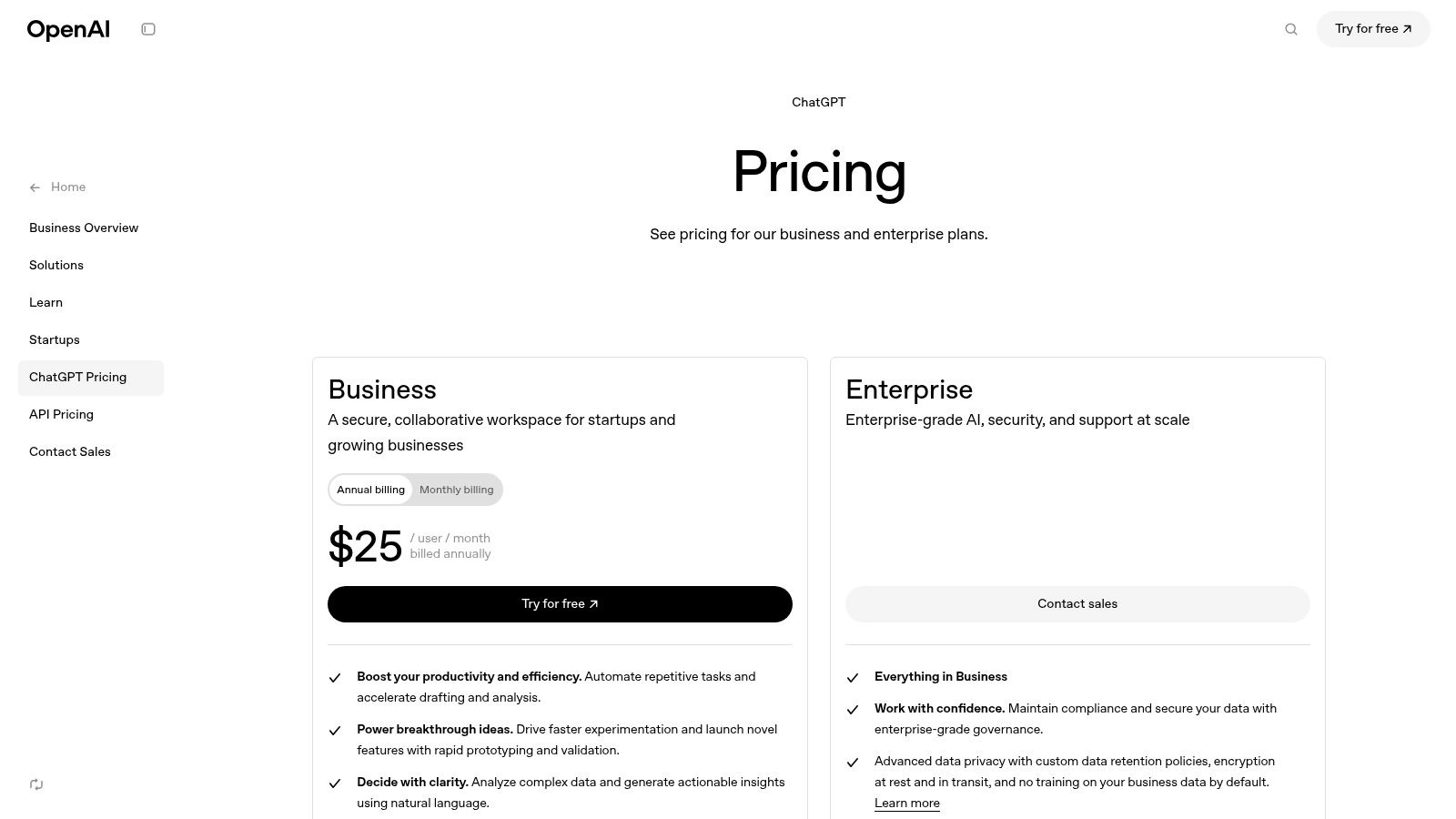
What makes ChatGPT one of the best ai content creation tools is its adaptability. The free version is powerful enough for most solo business owners. If you need more advanced features, the paid plans add better security and collaboration tools for teams, making it a solid choice for any size business.
Key Details & Use Cases
- Best For: All-purpose content creation—coming up with ideas, writing first drafts, and refining text. Excellent for generating outlines, emails, and social media posts quickly.
- Standout Feature: Custom GPTs (on paid plans). This lets you "teach" ChatGPT about your business—like your brand's friendly tone—so it always writes content that sounds like you.
- Pricing: Offers a capable free version. Paid plans like ChatGPT Plus (around $20/month) and Team (around $25/user/month) provide access to smarter AI models, faster responses, and can handle more requests.
- Website: chatgpt.com
Example in Action: Before writing a blog post about "common plumbing mistakes," ask ChatGPT: "Create a blog post outline about common plumbing mistakes for homeowners. Include an introduction, 5 main points with details, and a conclusion." It will give you a complete structure to start with, saving you an hour of planning.
2. Microsoft Copilot
Microsoft Copilot puts an AI assistant directly into the programs you already use every day, like Word, PowerPoint, and Outlook. Instead of opening a separate app, you can create content right where you work. For example, Copilot can write a document in Word from a simple instruction, build a whole PowerPoint presentation from a list of bullet points, or summarize a long email chain so you can catch up quickly.
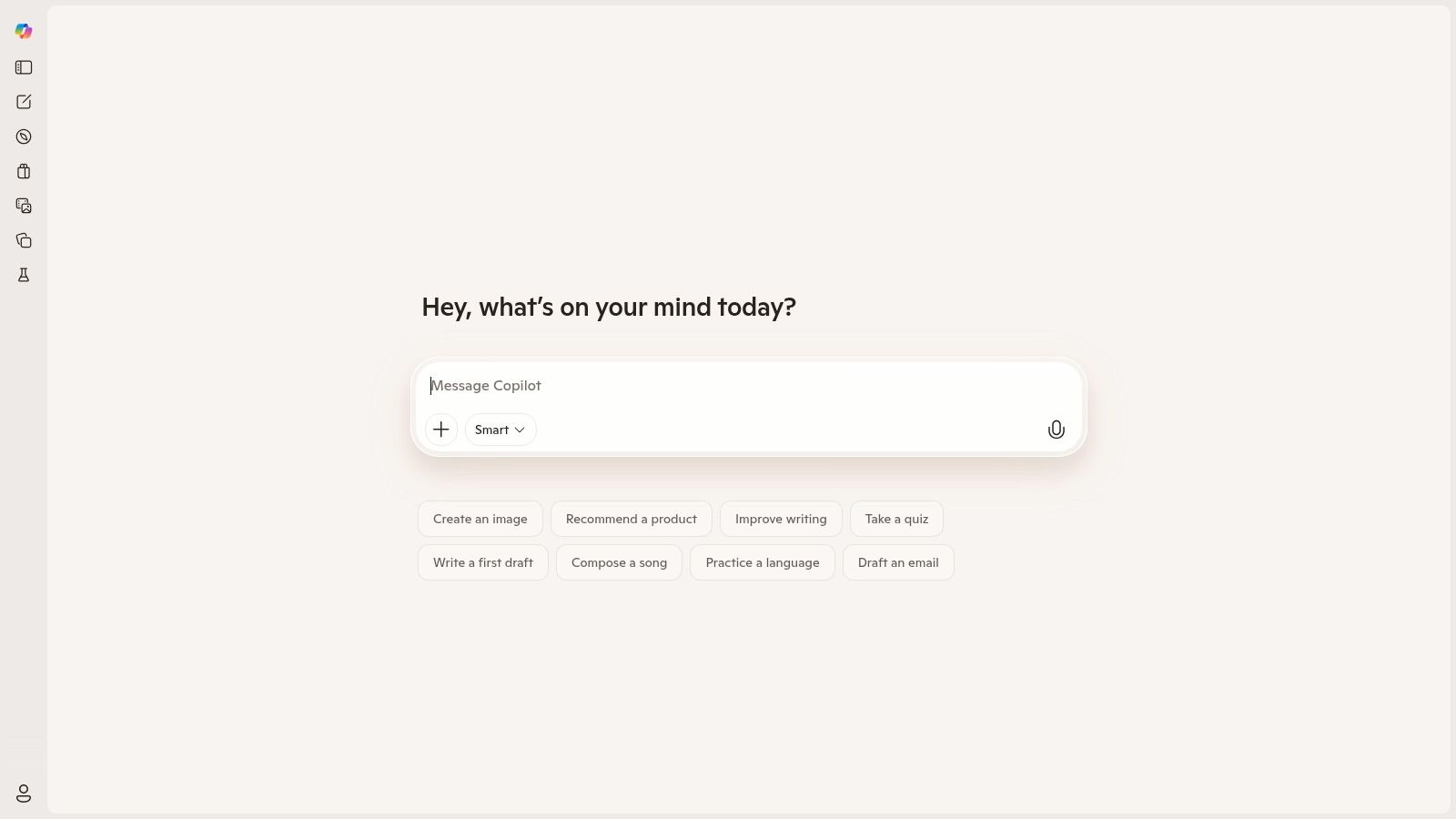
What makes Copilot stand out among ai content creation tools is that it's already built into the software you own. For businesses using Microsoft 365, it’s a seamless addition that doesn’t require your team to learn a new system. It’s secure, familiar, and makes everyone more efficient almost immediately.
Key Details & Use Cases
- Best For: Business owners and teams who use Microsoft 365 (Word, PowerPoint, etc.) for daily work.
- Standout Feature: It knows your work context. Copilot can look at your calendar, emails, and files to give you relevant help. For example, it can find sales numbers from an Excel sheet to put into your PowerPoint presentation.
- Pricing: Copilot Pro (for individuals) is around $20/month. Copilot for Microsoft 365 (for businesses) costs about $30/user/month and requires a Microsoft 365 business subscription.
- Website: microsoft.com/copilot
Example in Action: You have a 10-page report in a Word document. Instead of building a presentation from scratch, open PowerPoint and tell Copilot, "Create a 10-slide presentation based on the report titled 'Q3 Sales'." It will generate the slides, complete with speaker notes and images.
3. Google One AI Plans (Gemini)
If you run your business on Google’s tools, the Google One AI plans put the power of its Gemini AI right inside Gmail, Docs, and Sheets. This makes your everyday apps smarter. It can help you write emails faster in Gmail, create a blog post outline directly in a Google Doc, or summarize your meeting notes. It’s a simple way to combine your file storage with a helpful AI assistant.
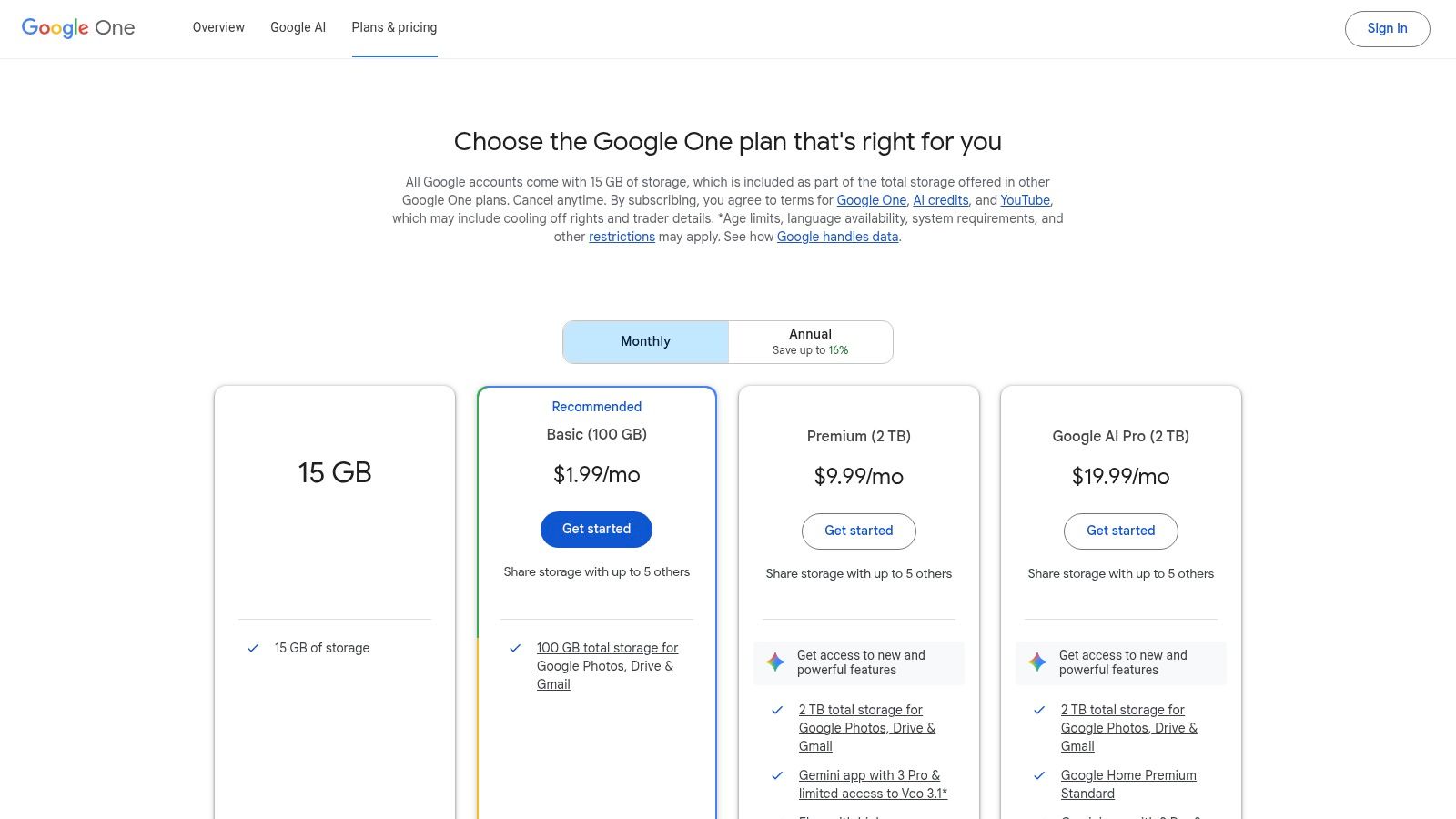
What makes this one of the most practical ai content creation tools is that the AI is right where you need it. You don't have to switch between different tabs or apps. This is a huge time-saver for anyone who relies on Google’s tools to run their business.
Key Details & Use Cases
- Best For: Individuals and teams who use Google Workspace (Gmail, Docs, Sheets) and want a single subscription for both storage and AI help.
- Standout Feature: The AI works across different Google apps. You can ask it to summarize a long email in Gmail and then use that summary in a Google Doc to start a new project plan, all without leaving your browser.
- Pricing: The AI Premium plan starts around $19.99/month and includes 2 TB of storage plus access to the advanced Gemini AI in your Google apps.
- Website: one.google.com/plans
Example in Action: You're staring at a blank page in Google Docs. Use the "Help me write" feature and type a simple request like, "Write an introduction for a blog post about the benefits of local SEO for a landscaping business." Gemini will generate a first draft you can then edit and make your own.
4. Canva (Magic Studio)
Canva has grown from a simple design tool into a complete creative platform with its AI-powered "Magic Studio." It’s perfect for business owners who need to create professional-looking social media posts, flyers, and presentations without being a designer. Magic Studio has an AI writer to help with text, an AI image generator, and tools that can instantly resize a design to fit different social media platforms.
What makes Canva one of the top ai content creation tools is how easy it is to use. It combines writing, design, and photos all in one place. For a small business, this means you can create marketing materials that look professional and consistent with your brand’s colors and logos, all in just a few minutes.
Key Details & Use Cases
- Best For: Creating social media graphics, flyers, and presentations quickly, especially if you're not a designer.
- Standout Feature: Magic Switch. This lets you create one design (like an Instagram post) and instantly turn it into other formats, like a Facebook banner or a flyer, with a single click.
- Pricing: A generous free plan is available. Canva Pro (around $14.99/month) and Canva for Teams (from $29.99/month for 5 people) unlock all the AI features, premium templates, and better collaboration tools.
- Website: canva.com
Example in Action: You're creating an Instagram post for a sale. Instead of just a picture, you use a Canva template. Click "Magic Write" and ask it to "write 3 short, exciting captions for a 20% off summer sale." It will generate text that fits perfectly into your design.
5. Adobe Express + Firefly
Adobe Express, powered by Adobe's Firefly AI, is an all-in-one tool for creating eye-catching marketing materials. It’s designed for people who want professional-looking social media graphics, flyers, and short videos without needing to learn complicated software like Photoshop. The AI lets you create images just by describing them, add cool effects to your text, and easily add or remove things from your pictures.
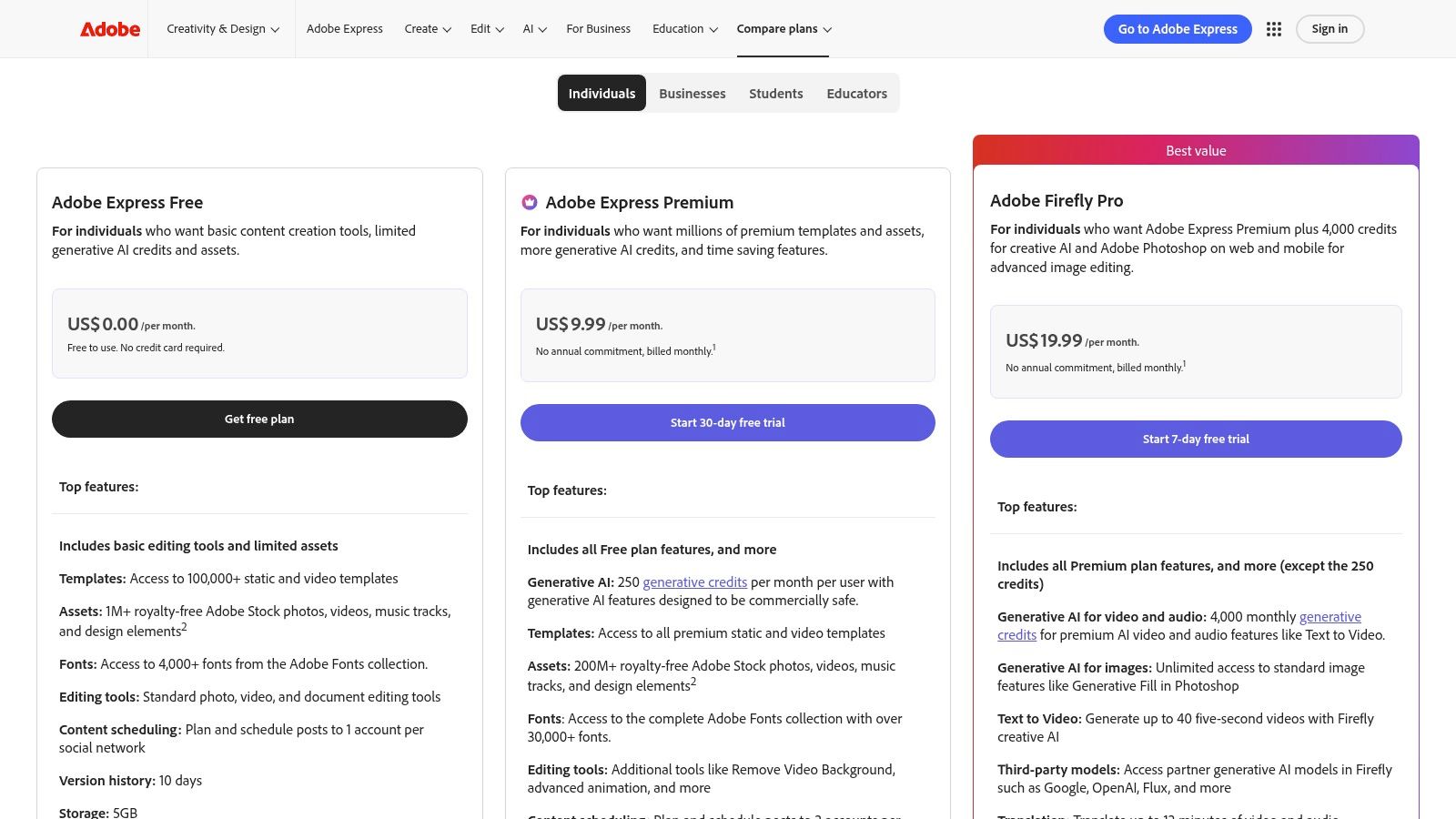
What makes Adobe's tool stand out among ai content creation tools is that it’s designed to be commercially safe. The AI is trained on Adobe's library of licensed photos, which means you don't have to worry about copyright issues when you use the AI-generated images for your business. This gives you peace of mind that other tools might not.
Key Details & Use Cases
- Best For: Small business owners creating branded social media content, website graphics, and short promotional videos.
- Standout Feature: Commercially safe image generation. You can confidently use the AI-created images in your marketing without worrying about legal problems.
- Pricing: A free plan is available with a limited number of AI credits. The Premium plan (around $9.99/month) gives you more templates, photos, and 250 AI credits each month.
- Website: www.adobe.com/express/pricing
Example in Action: You need a specific image for your website, like "a smiling electrician fixing a modern light fixture." Instead of searching through stock photos, you type that description into Adobe Express. Firefly will create a unique, high-quality image for you in seconds.
6. Jasper
Jasper is an AI writing tool built specifically for marketing. It helps you create content for blogs, social media, and ads that sounds exactly like your brand. You can teach Jasper your company’s unique voice and style by giving it examples of your writing. After that, everything it creates—from a short social media post to a long article—will have a consistent tone.
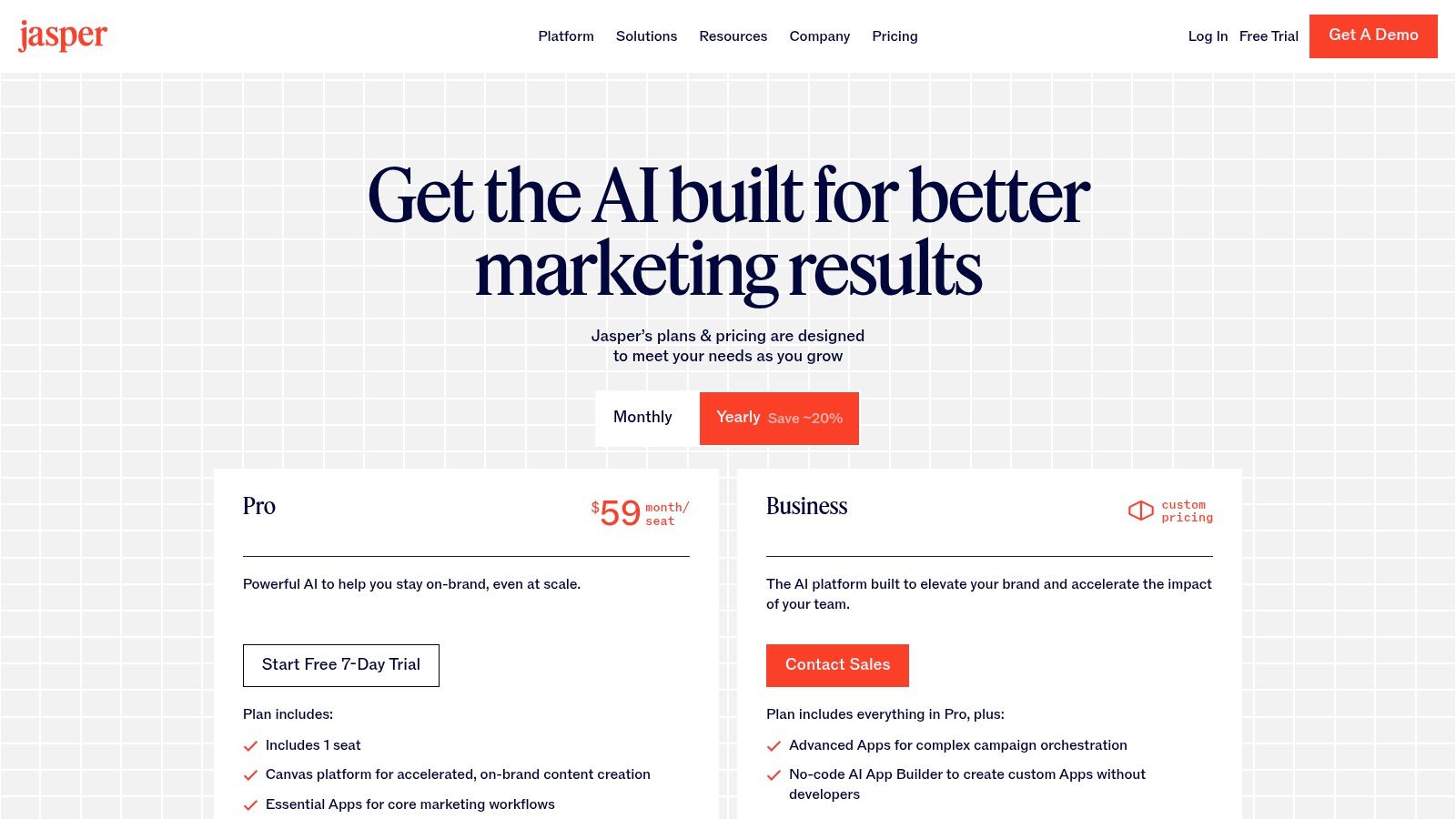
What makes Jasper different from other ai content creation tools is its sharp focus on marketing teams. It has special templates and features designed to speed up common marketing tasks, like writing different versions of an ad or creating a series of marketing emails. It’s built for businesses that need to produce a lot of high-quality content quickly.
Key Details & Use Cases
- Best For: Marketing teams and businesses that need to create a lot of on-brand content for ads, blogs, and marketing campaigns.
- Standout Feature: The "Brand Voice" feature. Jasper learns your specific tone and style from your website or documents, ensuring everything it writes sounds like it came from you.
- Pricing: Plans start with the Creator tier (around $39/user/month billed annually). The Pro and Business tiers add more features for teams and allow you to teach Jasper more about your brand.
- Website: jasper.ai
Example in Action: Upload a few of your best-performing blog posts and your company’s "About Us" page into Jasper’s "Brand Voice" memory. Now, when you ask it to write a new blog post, it will automatically adopt your tone, style, and key messaging.
7. Copy.ai
Copy.ai is an AI platform designed to help you create marketing and sales content much faster by automating repetitive tasks. It’s more than just a writer; it lets you build "Workflows" that handle routine jobs automatically. For example, you can set up a workflow that takes one blog post and automatically turns it into ten different social media posts, all with a single click.
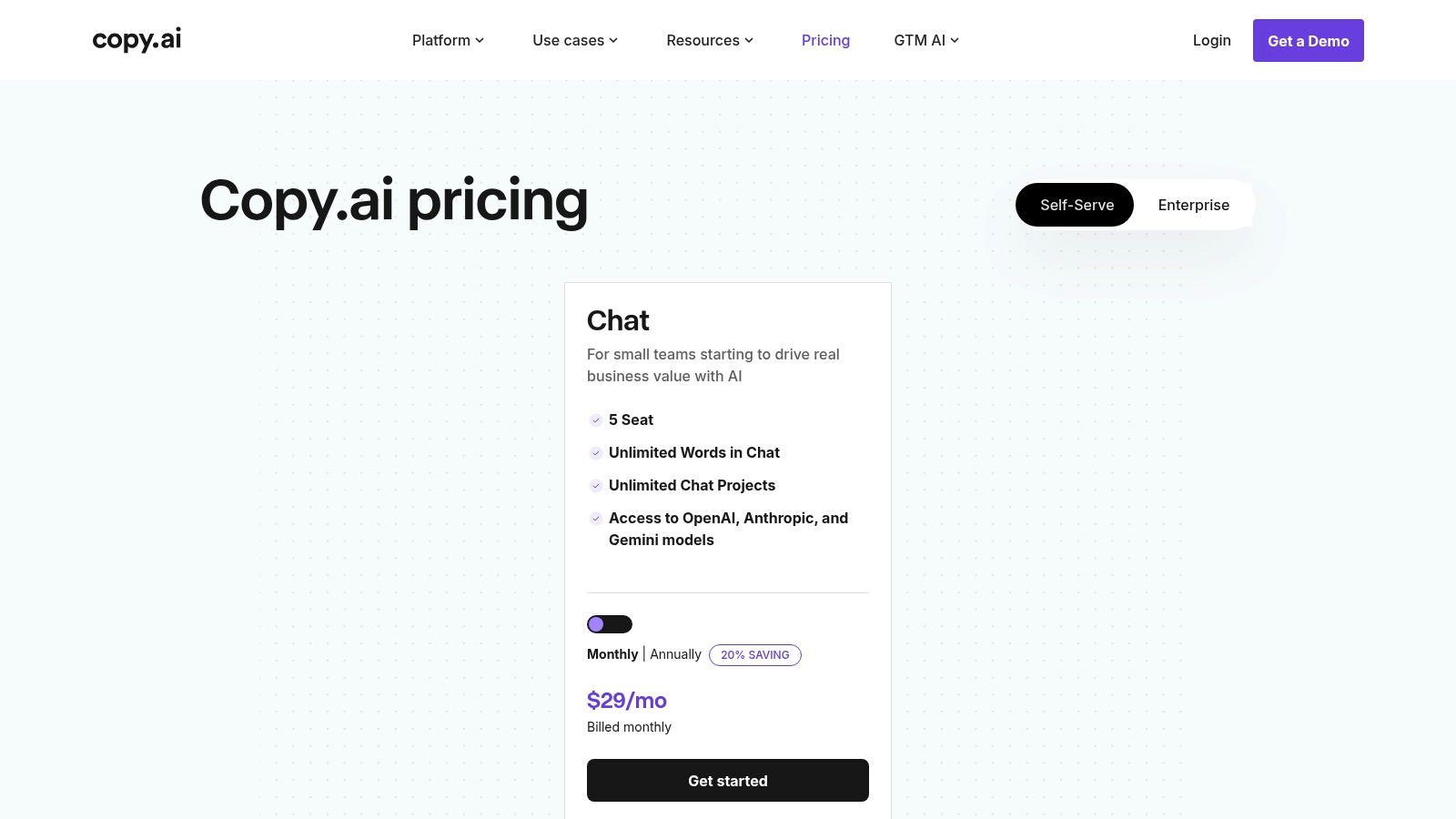
What makes Copy.ai one of the most effective ai content creation tools for growing businesses is its focus on automation. Instead of just helping you write one thing at a time, it helps you build systems to create consistent, on-brand content at a large scale. This saves a huge amount of time for busy marketing and sales teams.
Key Details & Use Cases
- Best For: Marketing and sales teams who need to automate repetitive writing tasks, like creating social media updates or personalized sales emails.
- Standout Feature: The "Workflows" feature. This allows you to build your own custom content automations that you can run again and again, saving hours on manual work.
- Pricing: Offers a limited free plan. The Pro plan (around $36/month billed annually) is great for small teams. The Team plan (around $149/month billed annually) adds more automation credits and collaboration features.
- Website: copy.ai
Example in Action: A realtor could build a simple workflow to create property descriptions. You input the key details (beds, baths, square footage, key features), and the workflow automatically generates a compelling description for Zillow, a short caption for Instagram, and a tweet.
8. Descript
Descript changes the game for video and audio editing by making it as easy as editing a text document. When you upload a video or podcast, Descript automatically creates a text transcript. To edit your recording, you just edit the text. Deleting a sentence in the transcript instantly cuts that part out of the video. This is perfect for anyone who finds traditional video editing software confusing.
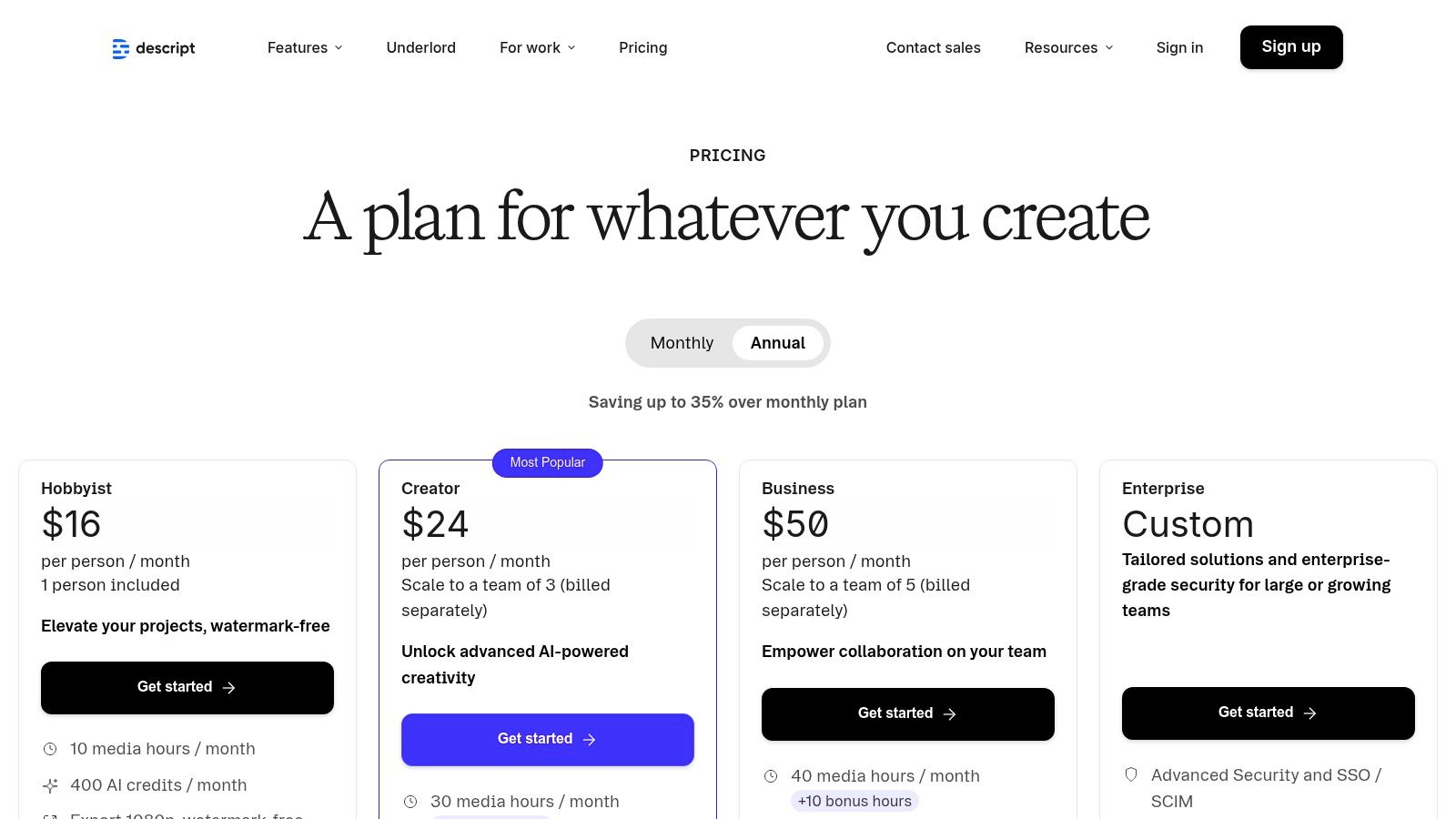
What makes Descript one of the best ai content creation tools is its suite of built-in AI features. It can automatically remove filler words like "um" and "uh," clone your voice to fix mistakes, and even help you find the best clips to share on social media. It’s an all-in-one tool designed to make your video and podcast production incredibly fast.
Key Details & Use Cases
- Best For: Podcasters, video creators, and business owners who want to turn spoken content (like webinars or interviews) into polished clips and blog posts.
- Standout Feature: Text-based video editing. If you can edit a Word document, you can edit a video in Descript. It’s that simple.
- Pricing: A free plan is available with limited features. Paid plans like Creator (around $12/editor/month) and Pro (around $24/editor/month) offer more transcription time, better video quality, and advanced AI tools.
- Website: descript.com
Example in Action: You record a 30-minute video explaining a service you offer. Upload it to Descript. In a few clicks, you can remove all the "ums" and "ahs," find the 3 most interesting 1-minute clips, add captions, and export them for Instagram and TikTok. What used to take hours now takes minutes.
9. Runway
Runway is a cutting-edge AI tool that creates video from simple text descriptions or images. It's built for business owners and creators who need to make high-quality promotional videos without hiring an expensive production team. You can generate short video clips for social media ads or create unique visual backgrounds just by typing what you want to see.
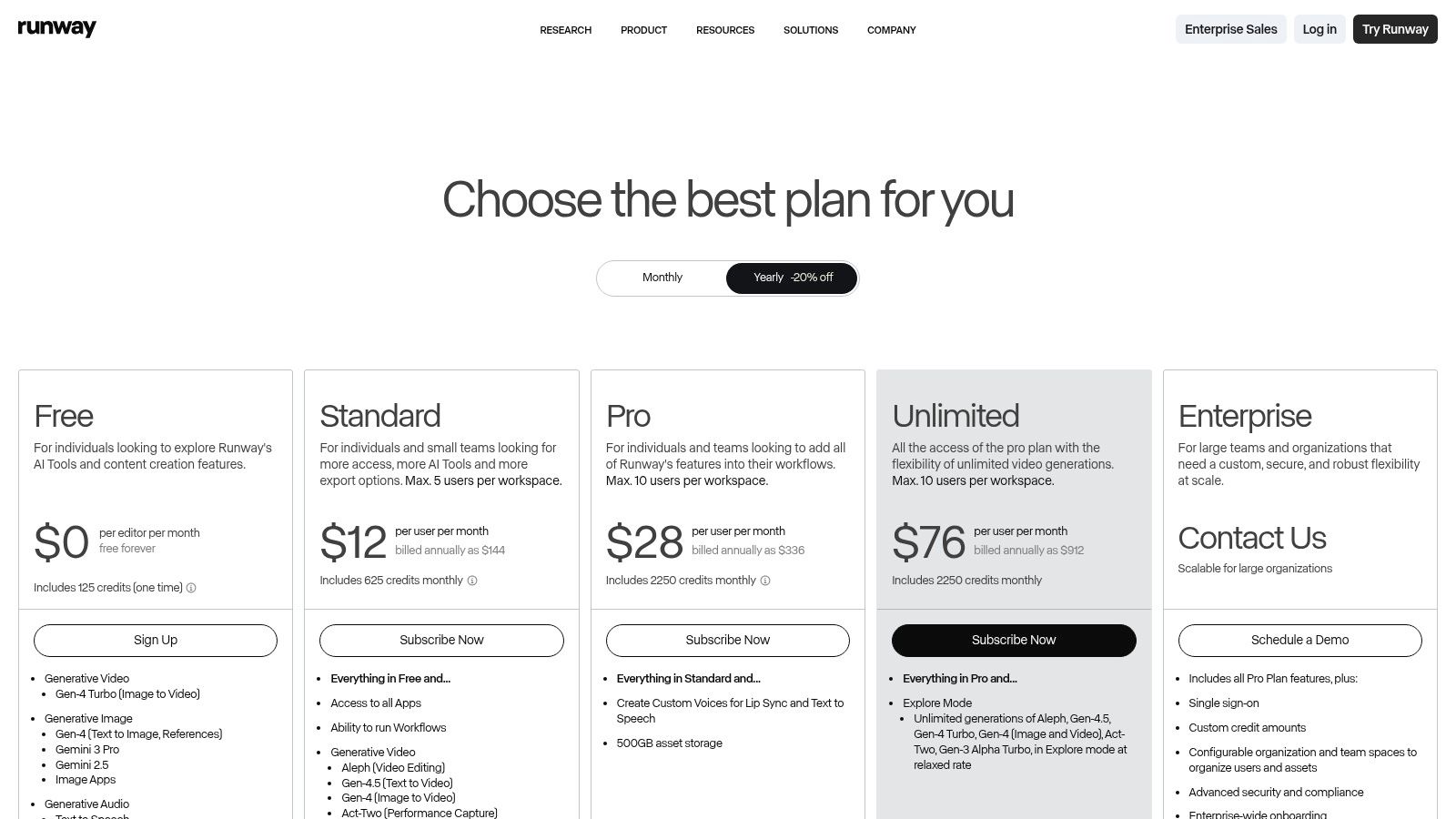
What makes Runway one of the most exciting ai content creation tools is that it’s leading the way in AI video generation. Its technology is among the best available for turning ideas into moving pictures. The platform uses a simple "credits" system, so you always know how much it will cost to create a video, helping you manage your budget effectively.
Key Details & Use Cases
- Best For: Marketers and creators who need unique video clips for social media ads, websites, or presentations.
- Standout Feature: Text-to-video generation. You can create compelling short videos from simple text prompts, which is perfect for quickly testing new ad concepts.
- Pricing: Starts with a Free plan with limited credits. Paid plans like Standard (around $12/user/month) and Pro (around $28/user/month) offer more credits and access to the latest AI models.
- Website: runwayml.com/pricing
Example in Action: A coffee shop owner needs a quick video for an Instagram ad. Instead of filming, they type "cinematic shot of steam rising from a freshly poured latte" into Runway. The AI generates a professional-looking video clip they can use immediately.
10. Synthesia
Synthesia turns your written scripts into professional videos featuring realistic AI avatars. This lets you create training videos, product demos, and marketing clips without needing cameras, actors, or a studio. You just type your script, choose an AI presenter, and the platform generates a high-quality video for you in minutes. It's ideal for businesses that need to create polished videos quickly and affordably.
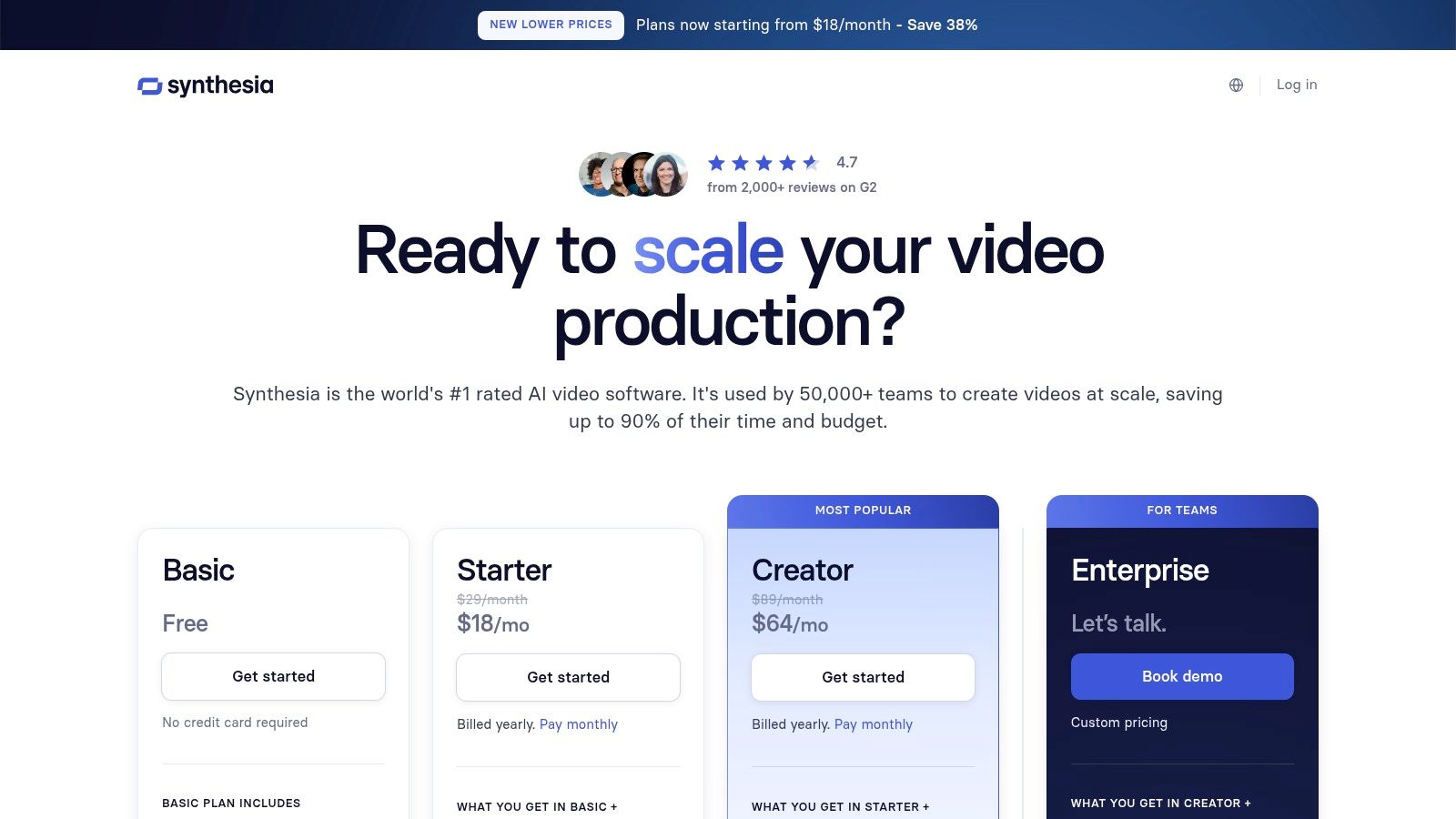
What makes Synthesia one of the most powerful ai content creation tools for video is its ability to work in over 140 languages. You can create one video and, with a few clicks, have it translated and spoken by an avatar in dozens of different languages. This makes it incredibly easy and cost-effective to reach a global audience.
Key Details & Use Cases
- Best For: Creating corporate training materials, product tutorials, and marketing videos, especially for an international audience.
- Standout Feature: The AI-powered translation and dubbing. You can localize a video for different countries instantly, without hiring translators or voice actors.
- Pricing: Starts with the Starter plan (around $22/month), which includes 10 minutes of video per month. The Creator plan (around $67/month) offers more video time and features.
- Website: synthesia.io/pricing-options
Example in Action: You create a 2-minute "how-to" video explaining how your product works. You can then use Synthesia to instantly create versions of that same video in Spanish, French, and German to put on the different versions of your website, expanding your market reach.
11. Writesonic
Writesonic is an AI writing assistant that's great for creating marketing copy and articles that are optimized for search engines (SEO). It guides you through the writing process with over 100 templates for everything from landing pages and Google Ads to product descriptions and social media posts. This makes it very easy for business owners to produce high-quality content without a lot of guesswork.
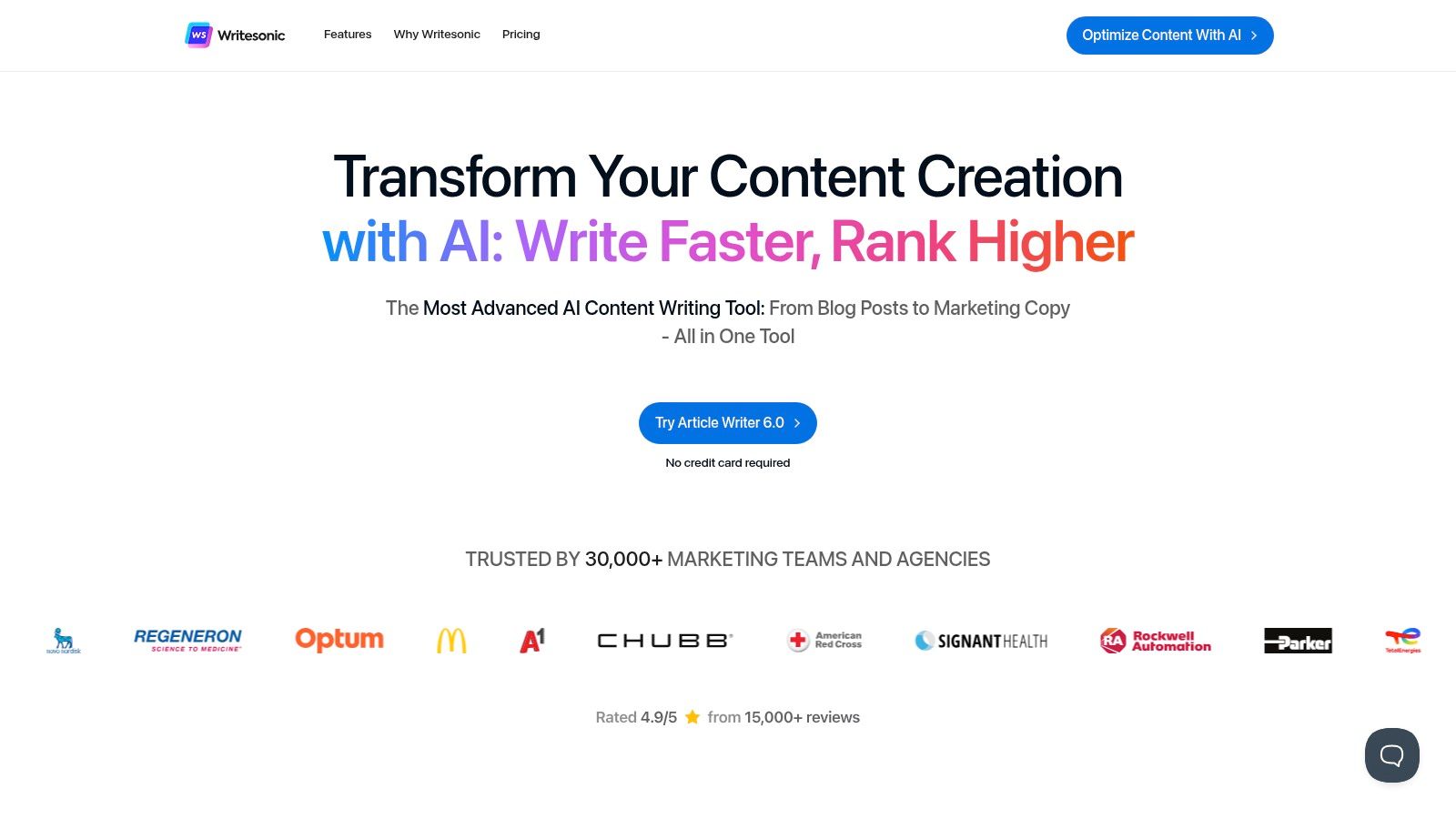
This platform is one of the top ai content creation tools for people who prefer a structured process. Instead of trying to think of the perfect command for a chatbot, you just pick a template, fill in a few details about your topic, and Writesonic generates several options for you to choose from. It's a very efficient way to handle common marketing writing tasks.
Key Details & Use Cases
- Best For: Marketers and small businesses who need to create a lot of marketing copy and SEO-friendly blog posts quickly.
- Standout Feature: The Article Writer tool walks you through creating a blog post step-by-step, from the title to the final paragraph. This makes writing long articles much less intimidating.
- Pricing: Offers a free trial. The Business plan starts around $12.67/month (billed annually) with a large number of words included. An Unlimited plan is also available for single users.
- Website: writesonic.com
Example in Action: A roofer wants to rank on Google for "signs you need a new roof." They use Writesonic's Article Writer. It suggests a title, creates an outline, and then writes a full, SEO-friendly article based on that structure, saving them hours of research and writing.
12. AppSumo
AppSumo isn't a single tool; it's a marketplace where you can find amazing deals on new software, including many AI content creation tools. It's the best place to discover up-and-coming AI writers, video generators, and other helpful utilities at a huge discount. You can often find "lifetime deals," where you pay a one-time fee for lifetime access to a tool, which is a great way to build your toolbox without expensive monthly subscriptions.
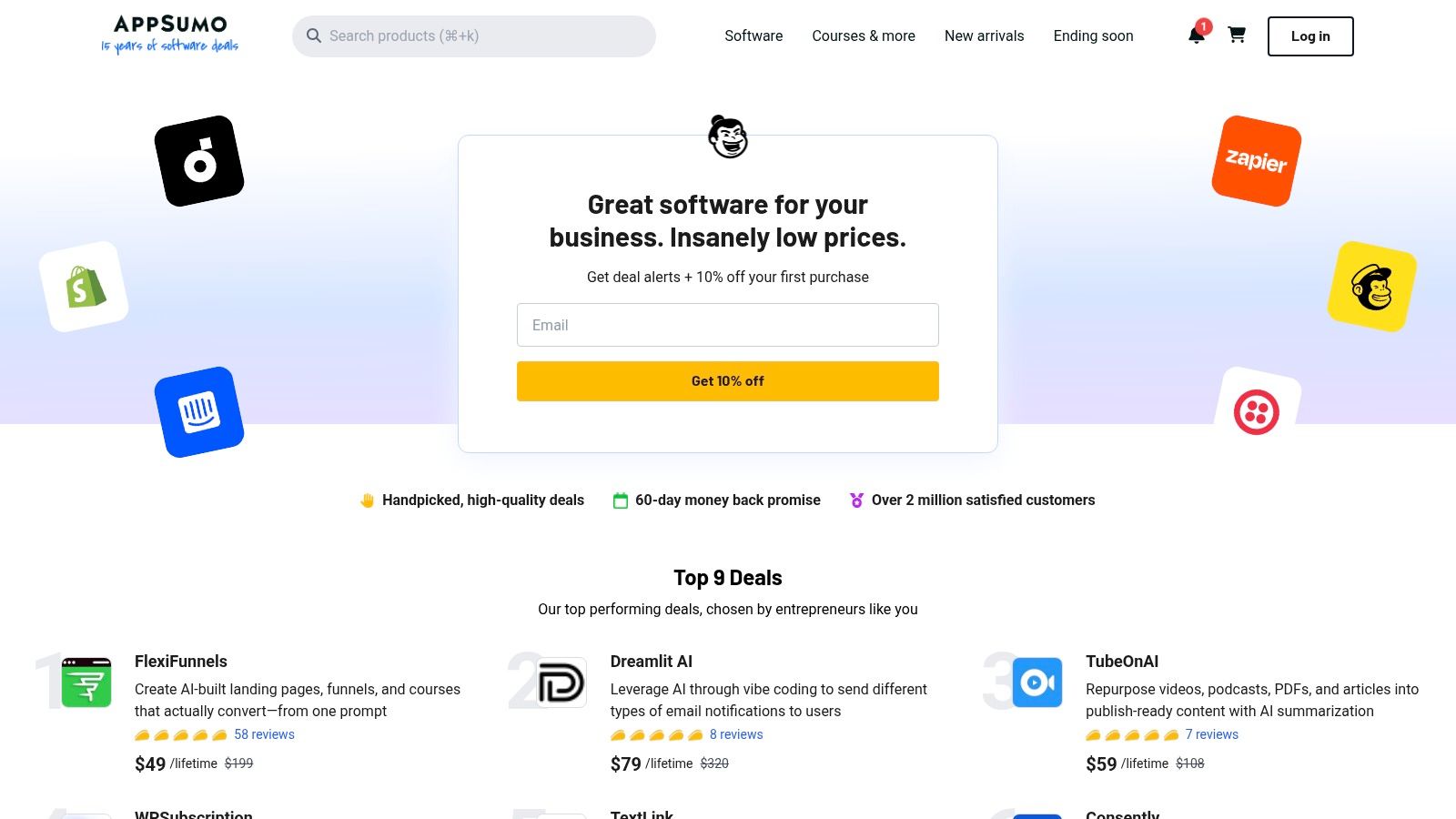
What makes AppSumo essential for content creators on a budget is the chance to try innovative ai content creation tools before they become expensive. While not every tool is a winner, the user reviews and 60-day money-back guarantee make it low-risk. It’s a great way to experiment and find hidden gems that fit your specific needs.
Key Details & Use Cases
- Best For: Business owners on a budget who want to discover and buy new AI software with a one-time payment.
- Standout Feature: The lifetime deal (LTD) model. Paying once for a tool can save you thousands of dollars in the long run, which is perfect for startups and solo operators.
- Pricing: Varies by deal. Lifetime deals can range from $29 to a few hundred dollars. An optional AppSumo Plus membership (around $99/year) gives you an extra 10% off.
- Website: appsumo.com
Example in Action: A business coach is looking for an AI tool to help them create social media carousels. Instead of paying $30/month for a mainstream tool, they check AppSumo and find a new, similar tool for a one-time payment of $49. They get the functionality they need and save over $300 in the first year alone.
Top 12 AI Content Creation Tools Comparison
| Tool | Core features | UX / Quality ★ | Value / Price 💰 | Target audience 👥 | Unique selling points ✨ / 🏆 |
|---|---|---|---|---|---|
| OpenAI ChatGPT | Chat drafting, summarizing, code snippets, multi‑device sync | ★★★★☆ | 💰 Freemium → Business/Enterprise | 👥 Writers, editors, devs, teams | ✨ Strong generalist NLP, integrations; 🏆 frequent updates |
| Microsoft Copilot | AI inside Word/Excel/Outlook, Copilot app, admin controls | ★★★★☆ | 💰 Paid (MS365 add‑on / business SKUs) | 👥 Office-centric teams & enterprises | ✨ Deep Office workflow integration; 🏆 enterprise governance |
| Google One AI (Gemini) | Gemini in Gmail/Docs/Sheets, NotebookLM, bundled storage | ★★★★☆ | 💰 Subscription (storage + AI credits) | 👥 Google Workspace users & researchers | ✨ Cross‑app AI + storage bundle; 🏆 tight Google ecosystem fit |
| Canva (Magic Studio) | Magic Write, image/video AI, templates, brand kits | ★★★★☆ | 💰 Freemium → Pro/Business | 👥 Marketers, non‑designers, small teams | ✨ Fast design + templates; 🏆 low learning curve for visuals |
| Adobe Express + Firefly | Generative images, text effects, templates, credits | ★★★★☆ | 💰 Paid tiers + generative credits | 👥 Designers, marketers, businesses | ✨ Commercially licensed models; 🏆 Creative Cloud pathway |
| Jasper | Brand voice, templates, workflows, enterprise APIs | ★★★★☆ | 💰 Paid (marketing tiers / enterprise) | 👥 Marketing teams & agencies | ✨ Brand/knowledge bases for consistent copy; 🏆 marketing focus |
| Copy.ai | Chat drafting, Agents & Workflows, multi‑model access | ★★★★☆ | 💰 Paid plans with workflow credits | 👥 Growth teams, automation‑first teams | ✨ Repeatable workflows & multi‑model flexibility |
| Descript | Text‑based audio/video editing, transcription, voice tools | ★★★★☆ | 💰 Freemium → Pro/Business (media hours) | 👥 Podcasters, video creators, educators | ✨ Fast speech→text editing workflow; 🏆 all‑in‑one editor |
| Runway | Text→video, upscaling, TTS, credits model | ★★★★☆ | 💰 Credits + subscription options | 👥 Video creators, marketers, studios | ✨ Leading text‑to‑video models; 🏆 experimental + production tools |
| Synthesia | AI avatars, multilingual dubbing, LMS exports | ★★★★☆ | 💰 Paid (credits/minute) | 👥 Training teams, global comms, explainers | ✨ Quick presenter videos & localization; 🏆 strong language support |
| Writesonic | Guided long‑form writer, SEO templates, tiered credits | ★★★★☆ | 💰 Paid (annual discounts, tiered words) | 👥 Bloggers, small agencies, SEOs | ✨ Stepwise article flows for SEO content |
| AppSumo | Marketplace for software deals, trial/lifetime offers | ★★★☆☆ | 💰 Deal‑based (one‑time / plus membership) | 👥 Small businesses, tool hunters | ✨ Chance for lifetime discounts; 🏆 discovery of niche tools |
Your Next Step: How to Pick the Right Tool and Get Started
Feeling overwhelmed by all the options? Don't be. Your goal isn't to master all twelve of these ai content creation tools. The real goal is to find just one that solves your biggest, most time-consuming problem right now. You’re running a business, not a software testing lab. Think of AI as your new, tireless assistant—not another complicated piece of tech to learn.
To get more details on these options, you can explore our complete guide on the best AI content creation tools. But for now, let's keep it simple.
Finding Your Perfect Starting Point
Think about the one marketing task you hate doing the most. Your answer will point you to the right tool.
- Before: You spend hours staring at a blank page, trying to write a blog post.
After: Use a writing assistant like Jasper or Writesonic. Their templates can help you create a first draft in 15 minutes. - Before: You struggle to make your social media posts look professional.
After: Use Canva. Its AI tools and templates make designing graphics fast and easy, even if you have no design skill. - Before: You need a quick video for your website but don't have the time or equipment.
After: Use a video generator like Synthesia. Turn a simple script into a polished video with an AI presenter in minutes. - Before: You're on a tight budget and just need a simple, all-around helper.
After: Use Microsoft Copilot or Google’s AI plans. They work inside the programs you already use, making them a cost-effective starting point.
Your 30-Minute Action Plan
Here’s your simple, practical next step. Don't just read about these tools—try one.
- Pick ONE tool from the list that solves your biggest headache.
- Sign up for the free trial or free version. No credit card needed.
- Give it one specific task. Ask Jasper to "write three blog post titles about kitchen remodeling for homeowners." Or tell Canva's Magic Write to "create five Instagram captions for a new real estate listing."
- Spend no more than 30 minutes on this experiment.
The goal is to get a quick win. You'll immediately see how these tools can lift the weight of content creation off your shoulders. By letting AI handle the grunt work, you free yourself up to focus on what truly matters: serving your customers and growing your business.
Ready to put these ideas into practice? The ReadyWeb AI Blog is your go-to resource for more straightforward, practical guides on using AI to build and grow your online presence. Visit the ReadyWeb AI Blog for actionable tips and workflows designed for busy business owners, not tech experts.
Made with Outrank tool