Here’s the single biggest mistake people make when writing product descriptions: they sell the product, not the result.
You’re proud of your product's specs—the durable materials, the technical details, the fancy components. But here’s the hard truth: your customers don’t care about any of that. They only care about what it does for them.
By the end of this article, you’ll have a simple, repeatable formula for writing product descriptions that turn visitors into buyers. This isn't about fancy writing skills; it's about a straightforward method that saves you time and gets you more sales.
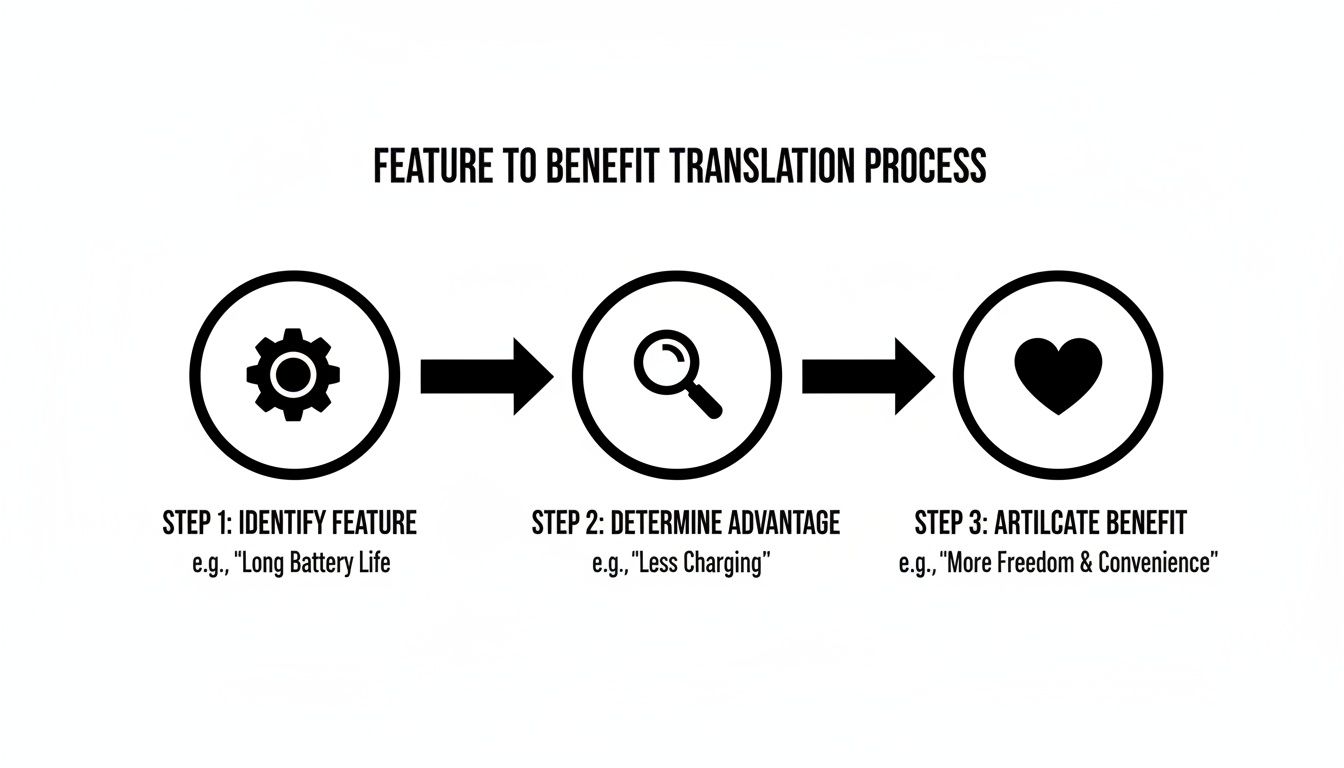
The quickest way to lose a sale is to list a bunch of features. Your job is to translate every single feature into a tangible, real-world benefit that answers the customer's silent question: "What's in it for me?"
Pro Tip: Customers don't buy a drill because they want a drill. They buy a drill because they want a hole in their wall. Your job is to sell the hole, not the drill.
Run the "So What?" Test
A simple gut-check I use constantly is the "So What?" test. It's a quick and dirty way to get from a boring feature to a compelling benefit.
For every feature you write down, ask yourself, "So what?" and keep asking until you land on an outcome that actually matters to your customer.
Let's try it with a contractor's work light:
- Feature: It has a 10,000-lumen LED bulb.
- So what? It's incredibly bright.
- So what? You can see the entire job site, even at night.
- So what? You can work safely and efficiently into the evening, finish jobs faster, and avoid costly mistakes.
See how that works? "A 10,000-lumen bulb" is a technical detail. "Finish jobs faster and make more money" is a benefit that a contractor will actually pay for.
Before & After: From Specs to Solutions
This shift in thinking is what separates descriptions that get ignored from descriptions that get sales. You're moving from a technical fact to a practical payoff.
This mindset is crucial no matter where you sell. The principles are universal, whether you're on your own site or a major marketplace. For example, if you sell on Amazon, this is non-negotiable if you want to optimize Amazon product listing for maximum conversions.
Here’s a simple table to help you practice this translation.
Feature to Benefit Translation
A simple guide to turning standard product features into compelling customer benefits that drive sales.
| Standard Feature (What It Is) | Compelling Benefit (What It Does For You) |
|---|---|
| Water-resistant nylon fabric | Keeps your gear bone-dry in a sudden downpour. |
| Multiple organized compartments | Find what you need in seconds—no more frantic digging. |
| Rechargeable lithium-ion battery | Save money on disposable batteries and work without interruption. |
| Lightweight aluminum frame | Carry it all day without the back and shoulder strain. |
| Non-slip rubber soles | Walk confidently on wet or slippery surfaces without fear of falling. |
Once you get the hang of this, your writing will instantly become more persuasive. You stop listing facts and start painting a picture of a better, easier life for your customer.
Find Your Customer's Voice and Use Their Words
Ever get that blank-screen stare, trying to figure out what to say to make someone click "buy"? Here's the good news: you don't have to guess. Your customers are already giving you the perfect script. You just have to listen.
The most powerful product descriptions aren't written from scratch. They're borrowed directly from the people who already use and love what you sell. This little trick is your secret weapon for writing copy that feels real.

Think about it. Instead of just saying your backpack is great, what if you used a real customer’s words? "This backpack saved my laptop in a storm!" Which one feels more honest? Using their language builds instant trust.
Where to Find Your Customer's Words
So, where do you find these golden nuggets of copy? It’s easier than you think. You’re not looking for random compliments—you’re hunting for patterns. Specific words, recurring phrases, and the problems that pop up again and again.
Your treasure map should point you to these spots:
- Product Reviews: The motherlode. Scour your own site, competitor sites, and marketplaces like Amazon or Etsy.
- Customer Testimonials: Those glowing emails or DMs you get from happy customers are pure gold.
- Social Media Comments: What are people saying in your comments? What about when they tag your brand?
- Customer Service Tickets: What questions do people ask before buying? What problems are they trying to solve with your product?
Sifting through this feedback shows you what people actually care about—not just what you think they care about.
Before & After: Turning Reviews Into Compelling Copy
Once you’ve collected a handful of reviews, your job is to find the story. Don't just pull out "I love this product!" Dig for the specifics.
Let's take a work boot as an example.
Before (Just the Facts):
"This heavy-duty work boot is made with premium leather and has steel-toe protection."
After (Using a Customer's Voice):
"Finally, a boot that can take a beating. As one contractor told us, 'I'm on my feet 10 hours a day on rough sites, and these are the only boots that haven't fallen apart. The steel toe has saved my foot more than once.'"
The second version works because it’s not you talking—it’s a peer. It swaps a generic claim for a real-world story, making it instantly more believable.
This technique is a form of social proof. It's just a simple term for the fact that people trust other people more than they trust brands. Weaving in these peer voices can increase sales because shoppers see someone "like them" validating the purchase.
Building Your Brand's Authentic Voice
Using customer words isn't just a tactic for one product page; it should shape your entire brand personality. The best way to do this consistently is to create a simple e-commerce brand voice guide. This becomes your cheat sheet for sounding like you, every single time.
This authentic voice needs to carry through every bit of text, including the short descriptions that show up in search results. They’re a critical first impression. To nail that, check out our guide on https://blog.readywebai.com/2026/03/21/how-to-write-meta-descriptions/ that attract clicks and feel just as genuine as your on-page copy.
Start listening. Your customers are handing you the exact words you need to sell more. All you have to do is use them.
Structure Descriptions for Scanners and Readers
Let's be honest: almost nobody reads websites word-for-word. We scan.
Your customers are busy, and if your product description is a dense wall of text, you’ve lost them before they even start. You have to structure your descriptions to work with this behavior, not against it.
The goal is to make your most persuasive points impossible to miss. Smart formatting guides your customer’s eye right to the information that convinces them to buy. This isn’t about being tricky; it’s about respecting their time and making it easy to see the value you’re offering.
Start with the Most Compelling Benefit
Journalists use a method called the "inverted pyramid," which just means putting the most important information right at the top. Don't build up to a big reveal—give them the best part first.
Start with a short, punchy paragraph (just 1-2 sentences) summarizing the single biggest, most compelling benefit. This is your hook. If a customer reads nothing else, this one line should tell them why they need your product.
Here’s a "Before" and "After" for a portable power bank.
Before (A Wall of Text):
"Our new portable power bank is designed for modern life. It has a 20,000mAh capacity and features two USB-C ports and one USB-A port for versatile charging options. Encased in a durable aluminum shell, it measures 6 inches by 3 inches and weighs only 12 ounces, making it perfect for travel. It utilizes fast-charging technology to power up your devices quickly."
This isn't terrible, but it's boring and makes the customer do all the work.
After (Inverted Pyramid Structure):
"Never see a low battery warning again. This pocket-sized power bank keeps your phone, tablet, and laptop alive all day, so you can work from anywhere without hunting for an outlet."
See the difference? The "After" version leads with the outcome—peace of mind and freedom. It immediately answers the question, "What's in it for me?"
Break It Down with Scannable Bullets
Once you've hooked them with the main benefit, use bullet points to break down the key features and their corresponding benefits. Bullets are a scanner’s best friend. They're easy to digest and let you quickly list the reasons your product is the right choice.
Pro Tip: Every bullet point should be a mini-benefit. Don't just list a feature; explain what that feature does for the customer. Think "you get this, so you can do that."
Let's build on our power bank example:
- Keeps All Your Devices Charged: A massive 20,000mAh capacity means you can recharge your smartphone up to 4 times or fully charge a laptop.
- Charge 3 Devices at Once: Includes two USB-C and one USB-A port, so you can power up your phone, headphones, and tablet simultaneously.
- Tough Enough for Real Life: The durable aluminum shell protects it from drops and scratches in your bag or on the job site.
- Get Back to Full Power Faster: Fast-charging tech refuels your devices in record time, so you're not stuck waiting.
This format is clear, concise, and delivers information in bite-sized, persuasive chunks. This structural approach is a core principle for any successful online store. For a deeper look, our guide on building an eCommerce store with the best SEO practices explains how page structure impacts search rankings.
Finish with a Story or Social Proof
Finally, close with a mini-story, a specific use-case, or social proof like a customer quote. This adds a human element and helps the shopper visualize themselves using the product. It's your closing argument that seals the deal.
For the power bank, you could end with this:
"Perfect for the business traveler who needs to stay connected on the go, the remote worker tired of being tied to a desk, or the parent who needs to keep the kids' tablets running on a long car ride."
By adopting this simple structure—hook, bullets, story—you create a product description that works for both readers and scanners, dramatically increasing your chances of turning a casual visitor into a happy customer.
Use AI to Write Faster, Not Like a Robot
As a busy business owner, you don’t have hours to sweat over every single word of a product description. This is where AI becomes your most valuable assistant—saving you time without making you sound like a machine.
Think of it like this: AI is a very fast, very eager intern. You give it clear instructions, it produces a solid first draft, and then you—the expert—step in to add the finishing touches and human personality. It’s a workflow that lets you create high-quality descriptions in a fraction of the time.
And if you're thinking about using AI, you're in good company. Recent data shows that nearly 50% of eCommerce sellers now use AI to write product descriptions because it works. You can see how widely it’s being adopted in these content marketing statistics and trends on typeface.ai.
The real secret is combining AI's speed with your irreplaceable knowledge of your customer.
How to Give AI the Right Instructions
The quality of what you get out of an AI tool depends entirely on what you put in. A vague command like "write a description for a work boot" will get you a generic, useless result. You have to be specific.
Feed the AI these four key pieces of information to get a great first draft:
- Product: What is it? List the key features and specs.
- Audience: Who is it for? Get specific (e.g., "roofing contractors," "first-time homeowners," "busy moms").
- Benefit: What is the main problem it solves? (e.g., "keeps feet dry in all weather," "organizes a chaotic schedule").
- Tone: How should it sound? Use descriptive words like "friendly and conversational," "professional and direct," or "witty and bold."
By giving the AI these details, you provide the raw materials it needs to build a description that's actually relevant to your business.
You are the pilot, and the AI is the plane. It can fly incredibly fast, but it needs you to tell it where to go. Garbage in, garbage out.
Practical AI Prompts You Can Copy and Paste
You don't need to be an AI wizard to get great results. The "prompt" is just the instruction you give the AI. To make it easy, I've created a few copy-and-paste templates you can adapt for your own products.
Just fill in the brackets with your details. These work with just about any AI tool out there, from ChatGPT to Jasper.
Here are some prompts you can use to generate effective first drafts for your product descriptions.
| Practical AI Prompts for Product Descriptions |
| :— | :— |
| Your Goal | Copy-and-Paste Prompt Template |
| The Benefit-Focused Description | Act as an expert copywriter. Write a product description for [product name]. My target audience is [describe your audience]. The main benefit is that it [main benefit/problem it solves]. Use a [describe your tone] tone. Highlight these features as benefits:
– Feature 1: [List a feature]
– Feature 2: [List a feature]
– Feature 3: [List a feature]
Structure it with a short, catchy headline, a 2-sentence opening paragraph, and then a bulleted list of the benefits. |
| The Story-Driven Description | Write a short, story-based product description for my [product name]. The hero of the story is a [describe your ideal customer] who is struggling with [customer's problem]. Show how my product helps them overcome this problem and achieve [desired outcome]. The tone should be [describe your tone] and empathetic. Keep it under 150 words. |
After you run a prompt, the AI will generate text in seconds. But your job isn’t quite done. The final step is where you really make it shine.
Your Human Touch Is the Secret Weapon
An AI-generated description is a starting point, not a finished product. It lacks your unique voice, your personal stories, and your deep understanding of your customers. This is where you add the magic.
Run through this quick editing checklist:
- Inject Your Personality: Does it sound like you? Tweak words and phrases to match your brand's voice.
- Add Specifics: AI can be vague. Add specific details, measurements, or real-world examples that you know matter.
- Check for Truth: AI sometimes "hallucinates" or makes up facts. Make sure every claim is 100% accurate.
- Weave in Customer Language: Remember those customer reviews from earlier? Sprinkle in a few phrases or a direct quote from a real customer review to build trust.
If you're looking for the right tool for the job, you can check out our list of the best AI content generators for small businesses to find one that fits your needs.
By using AI as a partner, you can stop staring at a blank page and start producing effective, sales-driving product descriptions faster than ever.
Use Simple Data to See What's Actually Working
Writing a great description is a huge step, but it's only half the job. The real question is: is it actually making you more money?
You don't need to be a data scientist to figure this out.
Most e-commerce platforms like Shopify or WooCommerce have simple reports that tell you everything you need to know. This isn't about getting lost in spreadsheets; it's about quick, common-sense checks to see if your hard work is paying off.
The Only Numbers That Really Matter
Forget wading through dozens of metrics. As a busy store owner, you only need to focus on a few key indicators that tell you if your descriptions are hitting the mark.
These numbers are your early warning system. They show you exactly where customers are getting stuck, so you can make small fixes that lead to big results.
Don't get overwhelmed by "analytics." Think of it as a customer telling you what they think. Lots of clicks but no sales? They're saying, "I'm interested, but you haven't convinced me yet."
Here are the critical numbers to watch:
- Conversion Rate: This is the big one. It’s simply the percentage of people who visit a product page and actually buy. If this number goes up after you rewrite a description, you won.
- Add-to-Cart Rate: This tells you how many visitors are clicking the "Add to Cart" button. A high add-to-cart rate means your description is creating real desire. If they aren't completing the purchase, the problem might be somewhere else—like your shipping costs or checkout process.
- Bounce Rate: This is the percentage of visitors who land on your page and leave without doing anything. A high bounce rate is a massive red flag that your opening hook isn't grabbing their attention.
Before & After: Spotting Problems and Finding Solutions
The real power here is spotting patterns. For instance, you might see a product getting tons of traffic from social media but has a terrible conversion rate. That's a classic disconnect. The ad got their attention, but the description failed to close the deal.
Before:
- Problem: High traffic from ads, but very few sales (low conversion rate).
- Diagnosis: The product page isn't convincing people to buy.
After:
- Action: You rewrite the description to lead with a strong benefit, add bullet points, and include a customer quote.
- Result: The conversion rate goes up. You've turned that traffic into actual revenue.
In fact, pairing well-optimized descriptions with simple analytics can boost conversion rates significantly. You can discover more about how descriptions impact sales on webwave.me.
A Simple Weekly Checklist to Check Your Work
To make this easy, here’s a simple checklist you can run through every week. It takes less than 15 minutes and gives you a clear picture of what’s working and what needs a little help.
- Check Your Top 5 Products: Where is your money coming from? Log into your store’s dashboard and see your bestsellers for the week.
- Look at Their Conversion Rates: Are they trending up, down, or staying flat? If a top performer starts to dip, its description might be getting stale.
- Find the "Problem Child": Identify one product with high traffic but low conversions. This is your target for the week.
- Make One Small Change: Don't rewrite the whole thing. Just make one targeted tweak. Is the hook weak? Are the benefits unclear? Try adding a customer testimonial.
- Review Next Week: Check back in a week to see if that one small change moved the needle.
By making small, data-informed improvements over time, you build a powerful system for growth. You stop guessing and start knowing exactly what makes your customers click "buy."
Common Product Description Questions, Answered
Even after you have a plan, a few practical questions always pop up. That’s perfectly normal. Getting good at this means hitting a few common roadblocks along the way.
This section gives you quick, direct answers to the questions we hear most from business owners. Think of it as your cheat sheet for getting unstuck and writing with confidence.
How Long Should a Product Description Be?
There’s no magic word count. The only rule is this: as long as it needs to be to make the sale.
For a simple item like a basic t-shirt, 50-100 words covering the material, fit, and style is probably enough. The buying decision is quick, so your copy can be too.
But for a high-ticket product, like a specialized camera or a piece of industrial equipment, you might need 300 words or more. A £30 tea tray and a £3,000 diamond ring demand different levels of detail and reassurance. Big purchases require more information before a customer feels comfortable clicking "buy."
The key isn't word count, but clarity. A long description is easy to read if it's broken up with smart formatting.
A simple, effective structure for almost any product looks like this:
- A Punchy Opening: Hook the reader in 1-2 sentences with the product’s biggest benefit.
- Scannable Bullet Points: List 3-5 bullet points that turn features into real-world benefits.
- Extra Detail: For complex items, add a few short paragraphs below the bullets for technical specs, use cases, or a mini-story.
How Do I Add SEO Keywords Without Sounding Robotic?
This is a huge sticking point for many, but the fix is surprisingly simple: write for your customer first, and Google second.
When you focus on clearly explaining who the product is for and what problems it solves, you’ll naturally use the exact phrases people are searching for.
Instead of jamming in a clunky keyword like "durable waterproof hiking boot for men," just write like a human:
"Tackle any trail with confidence. These men's hiking boots are fully waterproof, keeping your feet bone-dry through creek crossings and surprise downpours. Their durable construction is built to handle season after season of adventure."
See? It sounds natural, but it’s packed with keywords. As a best practice, get your main keyword (like "men's hiking boots") into your product title and the first sentence. Then, weave related terms (like "waterproof trail shoes") into your bullet points and the rest of the copy. The goal is for the keywords to be completely invisible to the reader.
Can I Just Use the Manufacturer's Description?
In a word: No.
Copying and pasting the manufacturer's description is one of the worst things you can do. It creates two massive problems.
First, it’s duplicate content. When Google sees the exact same text on dozens of retail sites, it gets confused and often penalizes all of them. Your product page gets buried in the search results.
More importantly, it’s boring. That generic copy has zero personality. It doesn’t speak to your customers or reflect your brand voice. Writing your own description is your single best chance to stand out and connect with your audience.
What Is the Fastest Way to Improve My Existing Descriptions?
Don't try to rewrite every product page overnight. You'll burn out. Instead, go for the quick wins that will make the biggest difference, fast.
Here’s a simple 4-step plan:
- Start with Your Best-Sellers: Pull up your top 3-5 selling products. Improving the pages that already get traffic will give you the fastest return.
- Run the "So What?" Test: Look at each feature and ask, "So what?" The answer is the benefit. "Lightweight design" becomes "Carry it all day without shoulder strain."
- Add Social Proof: Grab a powerful quote from a glowing customer review and place it directly in the description. A real person's words are more convincing than anything you can write.
- Fix the Formatting: Are there any giant paragraphs? Break them into 1-2 sentence chunks. Turn your new list of benefits into clean, scannable bullet points.
By focusing on these high-impact pages first, you can build momentum and see immediate results, making it much easier to tackle the rest of your catalog over time.
Ready to put these ideas into action? The ReadyWeb AI Blog is your go-to resource for practical tips on building a better website, creating compelling content, and using AI to work smarter, not harder. Explore more guides at https://blog.readywebai.com.