If you're a busy real estate agent, your website should work as hard as you do. It should be attracting sellers, capturing buyer leads, and building your brand even while you're out showing properties. Too often, however, an agent's website is just an expensive digital business card that generates zero business. The good news? You don't need a degree in computer science to fix it.
This guide is designed for busy real estate professionals who want results, not technical jargon. We'll break down ten practical real estate agent website tips covering everything from photos and mobile-friendly design to capturing leads and showing up on Google. We’ll skip the buzzwords and focus on specific steps you can take today.
By the end of this article, you’ll have a clear plan to turn your website from a passive brochure into a 24/7 lead generator—without rebuilding the entire thing.
1. Use Professional Photos and Virtual Tours
In real estate, a picture isn't just worth a thousand words—it's worth clicks and leads. Professional property photos and virtual tours are no longer optional; they're the first handshake with a potential buyer. High-quality images and 360-degree walkthroughs give people a detailed and exciting first impression of a property before they ever step inside.
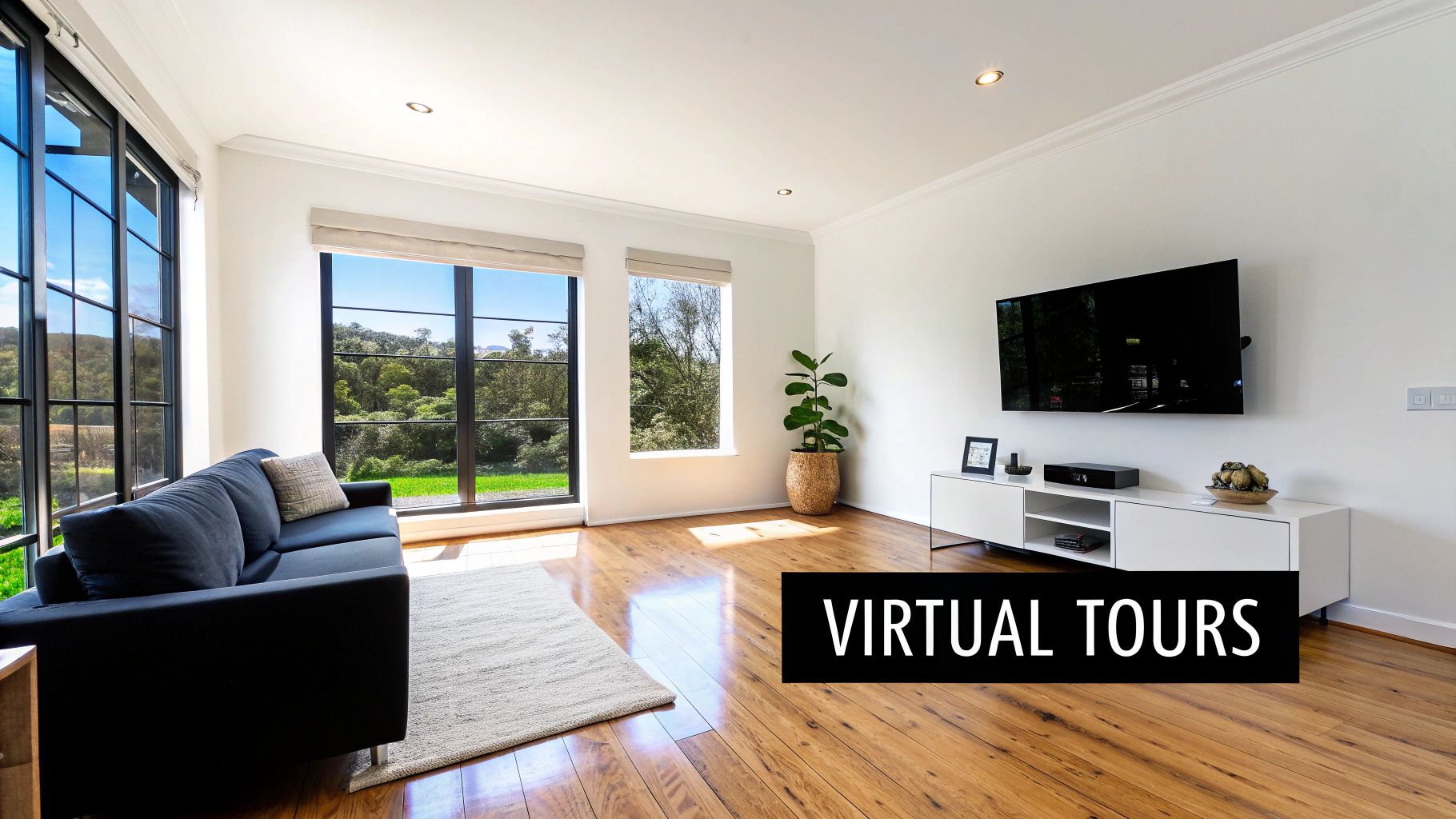
The Outcome: Stop potential buyers from scrolling past your listings.
- Before: Dark, blurry smartphone photos make your listing (and you) look unprofessional, causing buyers to skip it.
- After: Bright, professional photos and 3D tours grab attention, build instant trust, and keep visitors on your site longer, which helps you rank higher on Google.
How to Do It
- Hire a Specialist: Don't use your phone. Invest in a photographer who knows how to shoot real estate. They understand the right lighting and angles to make rooms look their best.
- Offer Virtual Tours: Use tools like Matterport to create interactive 3D walkthroughs. This lets serious buyers explore a home on their own time, which means the leads you get are more qualified.
- Compress Your Images: Big photo files will slow your website down to a crawl. Use a free tool like TinyPNG to shrink the file size of your photos without making them look bad.
- Focus on the Details: To make your listings pop, check out these actionable real estate photography tips. Good staging and lighting can make a huge difference.
2. Make Sure Your Website Works on a Phone
Most people start their home search on a smartphone. A "mobile-first" website means it was designed for the small screen first, then adapted for bigger screens like laptops. This ensures the majority of your visitors have a smooth, easy experience without getting frustrated.

The Outcome: Stop losing leads from frustrated mobile visitors.
- Before: Visitors on their phones have to pinch and zoom to read text or struggle to tap tiny buttons. They give up and leave.
- After: Your website is easy to read and use on any device. This keeps potential clients happy and improves your Google ranking, as Google prioritizes mobile-friendly sites.
How to Do It
- Test It Yourself: Open your website on your phone. Can you easily read the text? Are the buttons big enough to tap? If not, it's time for an update.
- Use a Responsive Theme: If you use WordPress, choose a theme like Astra that is built to be "responsive," meaning it automatically adjusts to any screen size.
- Think "Thumb-Friendly": Make sure buttons and links are large and have space around them so people don't accidentally tap the wrong thing.
- Keep it Fast: Mobile users are impatient. Make sure your site loads in under three seconds by compressing images and keeping the design simple.
- Simplify Your Menu: Use a simple "hamburger" menu (the three little lines) to keep your navigation clean and help visitors find listings or your contact info quickly. This is a key principle of good website design for small business.
3. Offer an Easy-to-Use Property Search
Today's homebuyers expect to search for exactly what they want. An advanced property search lets visitors filter listings by price, number of bedrooms, school district, or even if it has a pool. This turns your website from a simple brochure into a useful tool that keeps people coming back.
The Outcome: Let buyers find their dream home on your site, not Zillow.
- Before: Visitors can only browse a list of all your properties, get overwhelmed, and leave to use a bigger portal with better search tools.
- After: Buyers can quickly find homes that meet their exact needs, save their favorites, and contact you directly from the listing.
How to Do It
- Connect to Your MLS: Use an IDX (Internet Data Exchange) plugin or service to connect your website directly to your local MLS. This is the "engine" that powers your search with up-to-date listings.
- Show Key Filters First: Don't overwhelm people. Put the most important filters—like price, location, and bedrooms—front and center. Tuck away less common options under an "Advanced Search" button.
- Include a Map Search: A map-based search is one of the best real estate agent website tips. It lets buyers see exactly where properties are located in relation to schools, parks, or their work.
- Offer Saved Searches: Allow users to save their search criteria and get email alerts when a new matching home comes on the market. This is a fantastic way to capture leads and stay in touch automatically.
4. Show Up in Local Google Searches
Search Engine Optimization (SEO) is just a fancy term for getting your website to show up on Google when people search for your services. For real estate agents, "local SEO" is what matters most. It's how you get found when someone types "realtor in [your city]" into Google.
The Outcome: Get a steady stream of free, high-quality leads from Google.
- Before: Your website is invisible on Google. The only people who find it are those who already have your business card.
- After: When potential buyers and sellers in your area search online, your website and Google business listing appear at the top, bringing you clients who are ready to act.
How to Do It
- Claim Your Google Business Profile: This is your most important tool for local SEO. Fill it out completely with your correct address, phone number, and service areas. Most importantly, ask past clients for reviews.
- Create Neighborhood Pages: Make a separate page on your website for each neighborhood you serve. Talk about the local schools, parks, and restaurants, and feature listings from that area.
- Use Specific Keywords: Instead of just "real estate agent," target phrases people actually search for, like "homes for sale near Lincoln Park" or "best realtor for first-time buyers in [your town]."
- Get Listed in Local Directories: Make sure your business name, address, and phone number are listed correctly on sites like Yelp, your local Chamber of Commerce, and real estate directories. Consistency is key.
5. Capture Leads and Follow Up Automatically
A great website is useless if it doesn't turn visitors into leads. This happens by using simple forms to capture contact information, sending that info to a contact management system (a CRM), and automatically sending follow-up emails. This system ensures no lead ever falls through the cracks.
The Outcome: Automatically turn website visitors into warm leads you can talk to.
- Before: Someone visits your site, looks around, and leaves. You have no idea who they were or how to contact them.
- After: A visitor fills out a form to get a "Free Home Value Report." Their info instantly goes into your CRM, and they immediately receive an automated, professional email from you. You've started a conversation without lifting a finger.
How to Do It
- Use Simple Forms: Don't ask for a life story. Your main contact forms should only ask for a name, email, and maybe a phone number. Place them on key pages with a clear offer, like "Get a Free Home Value Estimate."
- Connect to Your CRM: Link your website forms directly to a real estate CRM like Follow Up Boss. This keeps all your leads organized and tells you where they came from.
- Set Up an Automated "Welcome" Email: Create a short series of emails that go out automatically to every new lead. The first email should deliver what you promised (like the market report). The next few can introduce you and share helpful tips.
- Use an "Exit" Pop-Up: When a visitor is about to leave your site, a pop-up can offer one last chance to connect. Offering something valuable, like a homebuyer's guide, is a great way to capture an email you would have otherwise lost.
6. Create a Personal and Compelling "About Me" Page
Your listings might get someone to your website, but your story is what gets them to trust you. A great "About Me" page is your chance to show visitors the real person behind the business. It’s where you build a connection and stand out from the hundreds of other agents in your area.

The Outcome: Make potential clients feel like they know and trust you before they even call.
- Before: Your bio is a dry list of accomplishments that sounds like every other agent's resume.
- After: Your "About Me" page tells a genuine story about why you love real estate and your community. It makes you relatable and memorable, giving clients a reason to choose you.
How to Do It
- Write Like You Talk: Use the first person ("I" and "my"). Share why you got into real estate and what you love about your local area. This creates a much more personal feel.
- Highlight Your Specialty: Clearly state who you specialize in helping, whether it's first-time buyers, luxury homes, or a specific neighborhood. This positions you as the expert.
- Show, Don't Just Tell: Include awards, certifications, and results like "Helped 50+ families find their home last year." This builds instant credibility. And make sure you have a great headshot—learn about creating a professional real estate agent picture that builds trust.
- Add a Short Video: A simple one-minute video introducing yourself is incredibly powerful. It lets people see your personality and builds a stronger connection than text alone.
7. Share Your Knowledge with a Blog
A website that never changes is just a digital brochure. A website with a helpful blog is a resource that attracts new clients. By regularly posting articles about local market trends, neighborhood guides, or home-selling tips, you establish yourself as the local expert. This strategy brings people to your site through Google long before they're ready to buy or sell.
The Outcome: Attract clients by answering their questions.
- Before: Your website only gets traffic from people who already know you.
- After: Your blog post about the "best schools in [Your Town]" shows up on Google, attracting families who are thinking about moving to the area. You've made a connection and proven your local expertise.
How to Do It
- Plan Your Content: Jot down a few article ideas for each month. Think about common questions your clients ask. Examples: "Spring Cleaning Tips for Sellers" or "What's Happening in the [Your Town] Market This Fall?"
- Focus on Local Topics: Write about things only a local would know. This is how you win against the big national websites. Think "cost of living in [neighborhood name]" or "new homes being built near [local landmark]."
- Be Consistent: Try to publish one new article every two weeks. Consistency tells Google your website is active and relevant.
- Use Helpful Tools: If writing feels like a chore, explore AI content creation tools for your workflow to help you generate ideas and draft articles much faster.
8. Connect Your Social Media to Your Website
Your website is your home base, but social media is where you engage with your community daily. Integrating them creates a powerful loop: your social media posts drive people to your website's listings, and your website encourages visitors to follow you on social media.
The Outcome: Your marketing efforts work together to build a bigger audience.
- Before: Your website and social media are two separate things that don't help each other.
- After: A visitor to your website sees your live Instagram feed and follows you. Later, they see your "Just Listed" video on Instagram and click back to your website to learn more.
How to Do It
- Add "Share" Buttons: Put social sharing buttons on every listing and blog post. This makes it easy for visitors to share your content with their friends on Facebook or LinkedIn with one click.
- Embed Your Social Feed: Use a simple plugin to show your live Instagram or Facebook feed directly on your homepage. This keeps your site looking fresh and shows off your recent activity.
- Promote Your Blog on Socials: Every time you publish a new blog post, share it on your social media channels with a link back to your website.
- Use More Video: Short videos of property tours or neighborhood spotlights get great engagement. For inspiration, check out these real estate video marketing ideas.
9. Show Off Your Client Testimonials
In a business built on relationships, trust is everything. Client testimonials are proof from other people that you're good at what you do. By featuring positive reviews and success stories on your website, you show potential clients that others have trusted you and had a great experience.

The Outcome: Let your happy clients sell your services for you.
- Before: A potential client lands on your site and has to take your word for it that you're a great agent.
- After: A visitor sees a video of a happy family talking about how you helped them find their dream home. They instantly feel more comfortable and are more likely to contact you.
How to Do It
- Just Ask: The easiest way to get reviews is to ask. After a successful closing, send a simple email with a direct link to your Google Business Profile or Zillow Agent Hub and ask for their feedback.
- Ask Good Questions: To get better testimonials, ask specific questions like, "What was the biggest challenge we helped you solve?" This gets you more detailed and powerful stories.
- Get it on Video: Video testimonials are gold. A simple, one-minute video from a happy client on their phone can be more powerful than a dozen written reviews. Put these right on your homepage.
- Sprinkle Them Everywhere: Don't just hide reviews on a "Testimonials" page. Add a great quote to your bio, put relevant ones on your neighborhood pages, and feature one in your website's footer.
10. Make Sure Your Website Loads Fast
Nobody waits for a slow website. A site that takes too long to load will frustrate potential clients and make them leave before they even see your first listing. A fast website provides a better experience, which leads to better Google rankings and more leads.
The Outcome: Keep visitors on your site and improve your search rankings.
- Before: Your site takes 5-10 seconds to load. A potential client clicks the "back" button out of frustration before it even finishes.
- After: Your site loads almost instantly. Visitors can quickly browse listings and find information, making them more likely to stick around and contact you.
How to Do It
- Compress All Your Photos: As mentioned in tip #1, large photo files are the #1 cause of slow websites. Use a tool like TinyPNG before you upload any image.
- Choose Good Hosting: Cheap, $3/month web hosting is often slow. Investing in quality hosting from a reputable company can make a huge difference in your site's speed.
- Use a Caching Plugin: If you have a WordPress site, a caching plugin (like WP Rocket or W3 Total Cache) stores a temporary copy of your site, which helps it load much faster for visitors.
- Test Your Speed: Use Google's free PageSpeed Insights tool to check your site's speed and get recommendations on how to improve it. Aim for a mobile score above 70. This is a hallmark of the best website for small business owners.
Top 10 Real Estate Agent Website Features Comparison
| Feature | Implementation complexity (🔄) | Resource requirements (💡) | Expected outcomes (⭐ / 📊) | Ideal use cases | Key advantages (⚡ / ⭐) |
|---|---|---|---|---|---|
| Professional Property Photography and Virtual Tours | High 🔄 — specialized equipment & coordination | High 💡 — pro photographer, drone/Matterport, editing time | Very high ⭐⭐⭐ — increases engagement & CTR; better lead quality 📊 | High-end listings; competitive markets; remote buyers | Visual differentiation, higher click-throughs ⚡, trustworthiness ⭐ |
| Mobile-First Responsive Website Design | Medium 🔄 — design + cross-device testing | Moderate 💡 — developer, mobile themes, testing tools | High ⭐⭐ — improved UX, lower bounce, better SEO 📊 | All consumer-facing real estate sites; mobile-first audiences | Better rankings & conversions ⚡, broader accessibility |
| Advanced Property Search and Filtering Functionality | High 🔄 — MLS/IDX integration, complex UI | High 💡 — backend dev, MLS fees, DB maintenance | High ⭐⭐ — more qualified leads, longer sessions 📊 | Large inventories, broker portals, data-driven sites | Faster match to buyer needs, repeat visits (saved searches) |
| SEO Optimization and Local Search Visibility | Medium-High 🔄 — ongoing strategy & technical setup | Moderate ongoing 💡 — content creation, SEO tools, local links | High (long-term) ⭐⭐ — sustained organic traffic & local leads 📊 | Local agents, neighborhood-focused practices | Lower-cost consistent leads over time, local authority ⭐ |
| Lead Capture, CRM Integration, and Email Nurturing Automation | Medium 🔄 — forms, flows, CRM mapping | Moderate 💡 — CRM subscription, automation setup, training | Very high ⭐⭐⭐ — higher conversion & timely follow-up 📊 | Teams and high-volume agents needing scalable follow-up | 24/7 capture, automated nurturing ⚡, reduced lead loss |
| Compelling Agent Bio and About Page | Low 🔄 — copy + media production | Low 💡 — copywriting, headshot, testimonials | Medium ⭐ — builds trust and increases conversions 📊 | Individual agents, boutique practices, personal brands | Differentiation, credibility, personal connection ⭐ |
| Blog Content and Market Insights | Medium 🔄 — editorial process and SEO | Moderate ongoing 💡 — writers, data, SEO tools | High (over time) ⭐⭐ — long-tail traffic & thought leadership 📊 | Agents seeking organic growth and community education | Authority building, shareable content, lead capture |
| Social Media Integration and Content Sharing | Low-Medium 🔄 — feeds & sharing setup | Moderate 💡 — content creation, scheduling tools, community management | Medium ⭐ — referral traffic and brand awareness 📊 | Visual listings, lifestyle branding, younger demographics | Amplifies reach, drives referrals ⚡, builds social proof |
| Client Testimonials and Social Proof | Low 🔄 — collection & display workflows | Low-Moderate 💡 — review tools, soliciting process, video production | High ⭐ — significant lift in trust and conversion 📊 | All agents focused on credibility and referrals | Trust signal, conversion uplift, user-generated content ⭐ |
| Fast Loading Speed and Technical Performance Optimization | Medium-High 🔄 — performance tuning & monitoring | Moderate 💡 — CDN, caching, developer time, monitoring tools | Very high ⭐⭐⚡ — lower bounce, better SEO, higher conversions 📊 | Media-heavy sites, mobile audiences, competitive SEO markets | Improved UX, SEO gains, measurable conversion increases ⚡ |
Your Next Step: Take Action on Just One Tip This Week
You now have a complete blueprint for turning a basic website into a lead-generating machine. We've covered the most important real estate agent website tips, from making sure your site works on a phone to automatically following up with new leads.
But reading about it won't get you new clients. The key is to take action, even if it's small. Don't try to do all ten things at once. Just pick one.
How to Get Started
The difference between a top agent and an average one is execution. Your mission this week is simple: choose just one thing from this list and do it.
Here are a few easy wins to consider:
- Get a Testimonial (Tip #9): Email three happy past clients and ask for a quick review. Give them a direct link to your Google or Zillow profile to make it easy.
- Update Your Bio (Tip #6): Spend 30 minutes rewriting your "About Me" page. Add a personal story about why you love your community.
- Check Your Google Profile (Tip #4): Log into your Google Business Profile. Is your phone number correct? Have you added any new photos recently?
Key Takeaway: A great website is built one small step at a time. Consistent, small improvements will build a powerful online presence that works for you 24/7, attracting leads while you focus on what you do best: closing deals.
Pick one small task and get it done. Next week, pick another. This steady approach is how you build a website that dominates your local market and fuels your business for years to come. You have the playbook—now it's time to run the first play.
Ready to tackle your content marketing without spending hours writing? The ReadyWeb AI Blog can help you create SEO-optimized, locally-focused blog posts and market updates in minutes, not days. Check out the ReadyWeb AI Blog to see how you can automate your content creation and keep your website fresh and engaging.