Let's get straight to it. You're a contractor, not a web developer. Your real work happens on the job site, but your next big project probably starts with a Google search. A professional website is no longer a "nice-to-have"; it's a tool that works 24/7 to bring you qualified leads, even while you're on a job.
By the end of this guide, you’ll have a clear, no-fluff plan to turn your website into your best salesperson—one that builds trust and gets potential customers to call you first. We'll skip the confusing tech talk and focus only on what gets results.
Your Website Is Your Hardest-Working Salesperson
If your current site looks like it was built a decade ago or is a pain to use on a phone, you're losing business. A lot of contractor sites are just digital brochures, but a great one should be an active lead generator, filtering out tire-kickers and bringing in serious clients.
This guide will show you how to build a website that reflects the quality of your work and funnels quote requests directly to you.
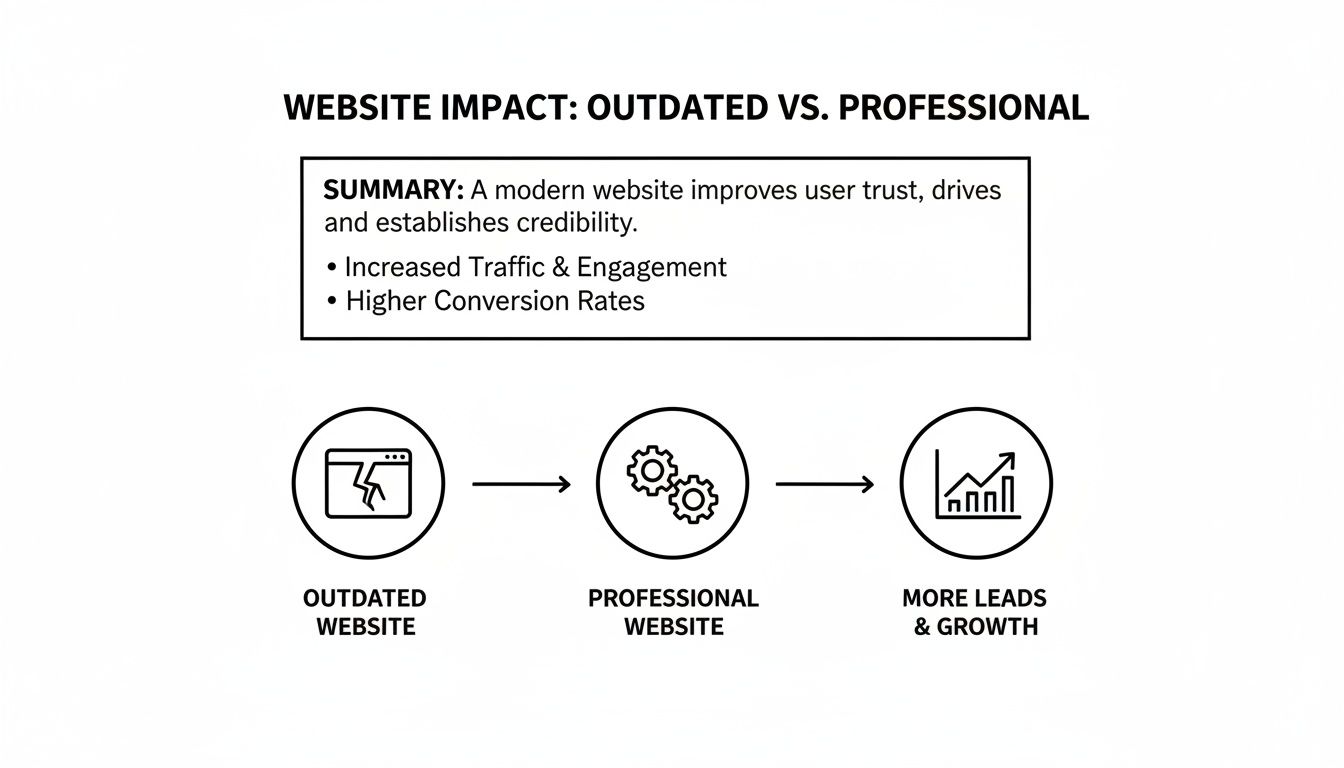
This shift from a passive online placeholder to an active growth engine is where the real magic happens.
Before & After: The Impact of a Professional Website
Your website is often the very first handshake with a potential client. It needs to immediately answer their questions, prove you’re the expert, and make it ridiculously simple for them to request a quote.
Think about the difference this makes in the real world.
| Business Impact | With an Outdated Website | With a Professional Website |
|---|---|---|
| First Impression | Looks untrustworthy, unprofessional, or out of business. | Builds immediate credibility and showcases quality work. |
| Lead Flow | A trickle of low-quality, price-shopping inquiries, if any. | A steady stream of qualified leads from serious clients. |
| Client Confidence | Potential clients are hesitant and unsure of your expertise. | Clients feel confident and are pre-sold on your value. |
| Mobile Experience | Frustrating to use on a phone, causing visitors to leave. | Flawless on any device, capturing leads on the go. |
| Visibility | Invisible on Google; gets lost in the competition. | Ranks for key services, attracting local customers. |
The goal is to move your website from the left column to the right. It's about turning an online expense into your most valuable asset.
Making this happen means understanding what works for your specific trade. For example, digging into the specifics of builders website design can give you a major advantage in winning those high-value projects. And if you're still deciding on the right platform, our guide on choosing a small business website builder can help you weigh the options.
Building Your Website Blueprint
You wouldn't frame a house without a blueprint, and the same rule applies to your website. Forget complicated site maps or technical jargon. This is about sketching out a simple, effective plan that turns visitors into paying customers. A great contractor website doesn't need to be huge; it just needs a few core pages that work hard for your business.

Think of these pages as the foundation, walls, and roof of your online presence. Each one has a specific job, guiding a potential client from the moment they land on your site to the moment they ask for a quote.
The Five Must-Have Pages for Every Contractor
Let's focus on the five pages that form the backbone of any successful contractor site. Honestly, getting these right is 90% of the battle. They all work together to build trust, prove your expertise, and make it incredibly easy for people to hire you.
Here's the essential checklist:
- Homepage: Your digital storefront. It must grab attention fast and tell people exactly who you are, what you do, and the areas you serve. No confusion.
- Services Page: This is where you get specific. Instead of a vague list, break it down. Don't just say "Remodeling"; detail "Kitchen Remodels," "Bathroom Renovations," and "Basement Finishing."
- Project Gallery/Portfolio: This is where you show, not just tell. It’s your visual proof, packed with high-quality photos and killer before-and-after shots of your best work.
- About Us: People hire contractors they trust. This page is your chance to tell your story, introduce your crew, and share your experience and credentials.
- Contact Us/Get a Quote: This might be the most important page. It needs to be dead simple with a clear phone number, an email address, and a short form for requesting an estimate.
Your Blueprint = Your Roadmap. By planning what goes on these five pages, you create a clear path for customers, making it obvious why they should choose you.
Planning Your Content with Purpose
Before you start building, you need your "materials"—the text, photos, and videos for each page. Think strategically. Your Project Gallery isn't just a random photo dump; it’s a powerful sales tool. Each project should have a short description, like "Complete Kitchen Remodel in Springfield," to give it context.
Likewise, your Services page should answer the questions potential clients have. A plumber, for instance, should have a section on "Emergency Leak Repair" that explains their typical response time and process. The goal is to get inside a visitor's head and give them what they need on every page.
Nailing this structure is a fundamental part of effective website design for small business owners who are serious about getting results. With this simple five-page plan, you’ll have a clear direction for a site that truly reflects the quality of your work.
Showcasing Your Work to Build Instant Trust
As a contractor, your craftsmanship is your best marketing tool. You can tell a potential client how great your work is, but showing them is what gets them to call. A great project gallery and genuine customer testimonials transform your website from a simple online brochure into a machine that builds trust and closes deals.
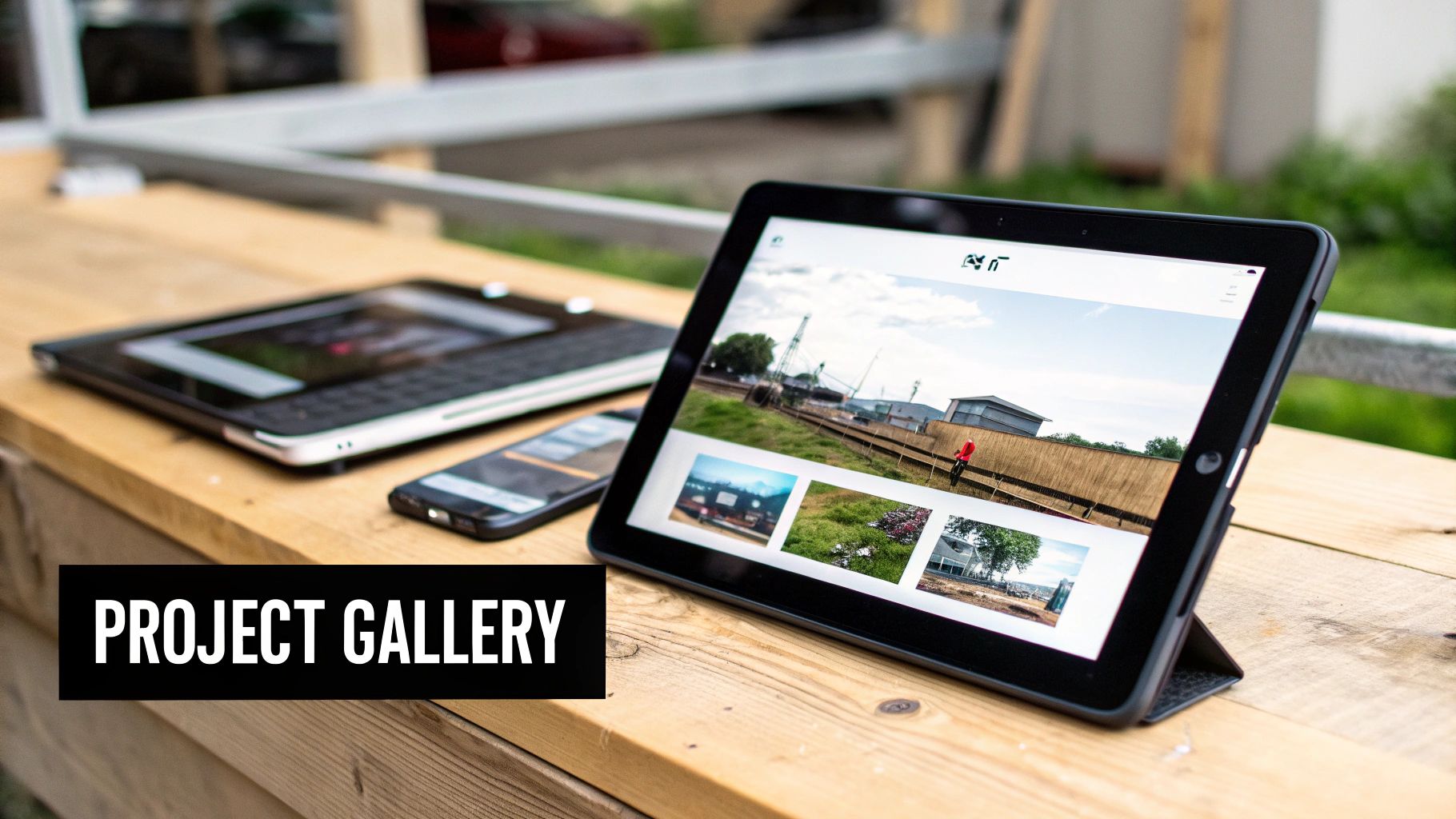
Think of this section as visual proof that you deliver on your promises. When a homeowner browses your gallery and sees a finished kitchen that looks like their dream kitchen, they don't just get impressed—they start picturing you in their home.
Creating a Project Gallery That Sells
Your goal isn't to dump a bunch of random photos. A great gallery should tell a story of transformation and highlight your skill. You don't need a professional photographer; the phone in your pocket is perfectly capable of taking fantastic shots.
- Before-and-After Shots are Gold: This is the most powerful way to show your value. A side-by-side comparison of a dated bathroom next to the stunning remodel you completed has an immediate impact.
- Good Lighting is Everything: Take photos during the day. Open the blinds, turn on all the lights, and avoid the harsh shadows from your phone's flash.
- Tidy Up the Site First: Take five minutes to clean up. Get stray tools, drop cloths, and debris out of the frame. A clean shot looks infinitely more professional.
- Write Simple, Clear Descriptions: Give each project a descriptive title like, "Custom Deck and Pergola in Scottsdale" or "Complete Kitchen Remodel with Quartz Countertops." This helps clients and also helps Google understand your services.
A great project photo doesn't just show the work; it helps a potential client emotionally connect with the result. They're not just buying a new deck; they're buying a place for summer barbecues with their family.
Using Testimonials to Build Credibility
Photos prove you can do the work. Testimonials prove you're reliable and easy to work with. Hearing from another happy client is often the final nudge a hesitant homeowner needs. This is social proof—the simple idea that if other people had a great experience with you, they probably will too.
Getting testimonials doesn't have to be awkward. When the project is wrapped up and your client is happy, just ask: "Would you mind sharing a few sentences about your experience? It really helps other homeowners feel confident about choosing us."
Display these testimonials where people will see them. Sprinkle powerful quotes on your homepage and pair specific reviews with relevant projects in your gallery. Imagine seeing photos of a beautiful bathroom remodel right next to a glowing review from that client. That one-two punch is an incredibly effective way to build instant trust. You can see just how one local business transformed its lead generation by applying these kinds of trust-building strategies.
Turning Website Visitors into Valuable Leads
A sharp-looking website is great, but it’s only doing half the job if it doesn't make your phone ring. Let’s talk about how to turn your site from a digital business card into a machine that brings in quote requests.

The goal is simple: make it incredibly easy for a potential client to reach out the moment they decide you're the right pro for the job.
Make Your Contact Info Impossible to Miss
When a homeowner has a burst pipe, the last thing they want is a scavenger hunt for your phone number. Your contact details need to be front and center on every single page.
The best place is in the top corner of your website's header, where people instinctively look. Make sure your phone number is a clickable link, so anyone browsing on their phone can just tap to call you.
Pro Tip: Don't make a potential customer work to give you their business. Your phone number, email, and a link to your contact page should be obvious at all times.
Build a Quote Request Form That Actually Gets Used
Your "Request a Quote" form is the most valuable part of your site. To make it work, you need effective lead capture forms. The secret? Keep it short and simple.
Nobody wants to fill out a 20-field questionnaire. Stick to the absolute essentials:
- Name
- Phone Number
- Email Address
- Brief Project Description
That’s it. Anything more, and you risk them getting frustrated and calling the next person on their list. Put this form on your homepage for maximum visibility, in addition to a dedicated "Contact Us" or "Get an Estimate" page.
Use Calls to Action That Tell People What to Do
A call to action (CTA) is just a button or link that tells your visitors exactly what you want them to do next. You have to guide them with clear, action-focused language.
Forget weak buttons that say "Submit." Use language that speaks directly to their goal.
Examples of Strong CTAs for Contractors:
- "Get My Free Estimate"
- "Schedule a No-Obligation Consultation"
- "Call Now for a Project Quote"
- "See If We Serve Your Area"
Sprinkle these CTAs throughout your site—at the end of your service descriptions and below your project galleries. They are signposts directing traffic right to your phone and inbox.
Getting Found by Local Customers on Google
Alright, you've built a great-looking website. But it won't do much good if customers can't find it. This is where Search Engine Optimization (SEO) comes in.
Don't let the term intimidate you. For a local contractor, SEO just means one thing: when a homeowner in your area searches "kitchen remodeler in Phoenix" or "plumber near me," your business needs to show up.
Speaking Your Customer's Language
The core of local SEO is using the words your customers are actually typing into Google. You might call yourself a "structural restoration specialist," but your customers are searching for "foundation repair." Identify these search terms (keywords) and weave them naturally into your website's text.
Think through every service you provide. Get specific, because that’s how people search.
- For a roofer: "asphalt shingle repair," "metal roof installation," "emergency storm damage repair."
- For an electrician: "electrical panel upgrade," "outlet installation," "ceiling fan wiring."
- For a plumber: "leaky faucet repair," "water heater installation," "drain cleaning services."
Use these phrases throughout your site. A project description shouldn't be "Job #42." Instead, call it "Custom Deck Build in Austin, TX." This simple change tells Google what you do and where you do it, helping the right people find you.
Simple Explanation: SEO isn't about tricking Google. It's about making your website incredibly helpful to your ideal customer. When your site clearly explains your services and shows off your work, Google rewards you.
Your Most Powerful Free Marketing Tool: Google Business Profile
Beyond your website, your Google Business Profile (GBP) is the most critical piece of the local SEO puzzle. This is your free business listing that shows up in Google Maps and the "local pack" search results.
For any local contractor, optimizing your GBP is non-negotiable.
- Fill Out Everything: Don't skip any fields. Ensure your business name, address, phone number, hours, and website are accurate.
- Choose the Right Categories: Be specific. Your primary category should be your main service (e.g., "Plumber"), but add secondary categories for everything else you do ("Water Heater Repair Service").
- Upload Plenty of Photos: Add high-quality photos of your team, your trucks, and your finished projects.
- Go All-In on Reviews: This is huge. Make it a habit to ask every happy client for a Google review. A steady stream of positive reviews is one of the strongest signals for ranking high in local search.
When you combine a smart website with a fully optimized Google Business Profile, you create a powerful system for attracting local customers.
Common Questions I Hear from Contractors
Even with a clear blueprint, you probably still have a few questions. Let's tackle the most common ones I hear from contractors about cost, time, and what actually works to land more jobs.
What’s a Realistic Budget for a Contractor Website?
This is always the first question. The good news is you don't need a huge budget to get a site that brings in business. Here’s a rough breakdown.
- The DIY Route (e.g., WordPress, Squarespace): If you're willing to roll up your sleeves, you can get a great-looking site off the ground for a few hundred bucks a year. This covers your hosting and a professional template. It's the cheapest path, but it will cost you your time.
- Hiring a Freelancer: For a professional, custom-built site, you're typically looking at the $2,000 to $5,000 range. This is often the sweet spot—you save time and get an expert result.
- Bringing in an Agency: Agencies usually start at $5,000 and go up from there. They're a good fit for bigger companies that need a complete marketing strategy.
Key Takeaway: Stop focusing on the upfront cost and think about the return on investment (ROI). A website that lands you even one or two decent jobs a year has already paid for itself. Stick to the essentials in this guide, and you won't waste money on flashy features that don't generate leads.
I'm Swamped. How Much Time Will This Really Take?
I get it. The initial setup is the biggest time investment, but following a clear plan (like this one) cuts that down dramatically. Once the site is live, the ongoing work is surprisingly minimal.
Plan on spending about 1-2 hours per month on it. That's all you need to upload photos from a recent job and add a new five-star review. Your website should be an asset that works in the background, not another headache.
What's More Important: Project Photos or Customer Reviews?
You need both. They work together as a powerful one-two punch.
Project photos are the visual proof. They show off the quality of your craftsmanship and help a homeowner imagine what you could do for their space.
Customer reviews are the social proof. They tell prospects that you're reliable, you clean up after yourself, and that other people had a great experience hiring you.
The magic happens when you combine them. On your "Kitchen Remodeling" page, have a stunning gallery of your work right next to a glowing testimonial from that client.
Do I Really Need a Blog on My Contractor Website?
For most contractors, a blog is a "nice to have," not a "need to have." Don't even think about it until you've nailed your core pages—Services, Project Gallery, Testimonials, and your Contact/Estimate form. Those are the pages that make you money.
Down the road, a blog can be a great tool for local SEO if you commit to it. Writing articles like "The Best Siding Options for [Your City]'s Climate" can attract local search traffic. But it's a serious time commitment. Get your core site and your Google Business Profile optimized first.
Here at the ReadyWeb AI Blog, our goal is to give you practical, no-nonsense advice for building a website that gets results. For more guides and tips to grow your online presence, check out our other articles at https://blog.readywebai.com.