Let's be real—you're running a business, not a web development agency. You need a website that brings in leads, answers customer questions, and builds your reputation, all without creating a technical headache.
By the end of this article, you’ll have a simple, step-by-step plan to create a website that works as your 24/7 salesperson—one that actually makes your phone ring and your inbox fill up with quote requests.
Your Website Should Be Your Hardest-Working Employee
Think of your website as your most dependable employee. It never calls in sick, works 24/7, and can handle hundreds of customer inquiries at once. When done right, a smart website design for a small business is more than an online flyer; it's an engine for growth.
You don't need flashy, complicated features. You need a clean, clear website that makes it incredibly easy for potential customers to understand what you do and why you're the right person for the job.
Turning Visitors Into Customers
Every single piece of your website—from the first headline they see to the contact info at the very bottom—needs a purpose. The goal isn't just getting people to look at your site; it's about guiding them to take a specific action, like calling you or filling out a form.
This comes down to three simple ideas:
- Attract the Right People: Your site must speak directly to your ideal customer. It should answer their immediate questions and show that you understand their problems.
- Build Instant Trust: A professional, easy-to-use site shows you're a legitimate business. Simple things like customer reviews, photos of your work, and a clear "About Us" page are crucial for building trust.
- Create a Clear Path: Don't make people guess what to do next. A big phone number, a simple contact form, or a "Book Now" button gives them an obvious next step.
Before: Your website is a digital business card. It looks nice but doesn't do much.
After: Your website is a lead-generating machine. It actively turns visitors into paying customers.
For example, a roofer’s website should immediately show their service area, a gallery of completed jobs, and a "Get a Free Estimate" button that's always visible. A local bakery needs to highlight its daily specials with great photos and provide an easy-to-find map and hours. Every design choice should serve your main business goal.
Key Website Investments and Their Payoff
This table breaks down the most important parts of a small business website and the real-world benefit each one provides. Think of these as features that directly help your bottom line.
| Website Element | Why It Matters for Your Business |
|---|---|
| Clear Call-to-Action (CTA) | Tells visitors exactly what to do next (e.g., "Call Us," "Request a Quote"), turning browsers into leads. |
| Mobile-Friendly Design | Most customers will find you on their phone. An easy-to-use mobile site means you won't lose them. |
| High-Quality Photos/Videos | Shows your real work, team, and products, building trust and helping customers see the quality you provide. |
| Customer Testimonials/Reviews | Real reviews from happy customers are more convincing than any marketing you can write yourself. |
| Simple Navigation | If people can't find what they're looking for in a few seconds, they'll leave. An easy menu keeps them on your site. |
| Fast Loading Speed | A slow site is frustrating and looks unprofessional. Speed is key for keeping visitors happy and ranking on Google. |
Each of these elements is a small investment that pays off by making your website a more effective tool for getting customers.
Create a Winning Game Plan Before You Build
Jumping straight into designing a website is like building a house without a blueprint. It leads to wasted time, frustration, and a site that doesn't work. Before you think about colors or fonts, you need a simple plan.
First, answer this question: what is the one main thing you want visitors to do on your website? Is it to call you? Fill out a contact form for a quote? Or book an appointment?
Every decision you make from here on—every page, button, and headline—should support that one goal. This focus is what turns a pretty website into a business-building tool.
Mapping Out Your Essential Pages
You probably don't need a huge, 50-page website. Most small businesses can generate a steady stream of leads with just four essential pages.
- Home Page: This is your digital storefront. It must instantly tell visitors who you are, what you do, and why they should choose you.
- Services/Products Page: Get specific here. Detail what you offer, but always explain it in terms of how it solves your customer's problem. Focus on benefits, not just features.
- About Page: This is where you connect with people. Tell your story. Why did you start this business? People do business with people they know, like, and trust.
- Contact Page: Make it incredibly easy to get in touch. Your phone number, email, a simple form, your address, and business hours should all be here.
This simple structure gives your visitors a clear path from learning about you to becoming a customer. To see how these pieces fit into the bigger picture, it helps to understand the full 8 Website Design Process Steps from concept to launch.
A well-planned website acts like your best employee, working 24/7 to move visitors from awareness to action.
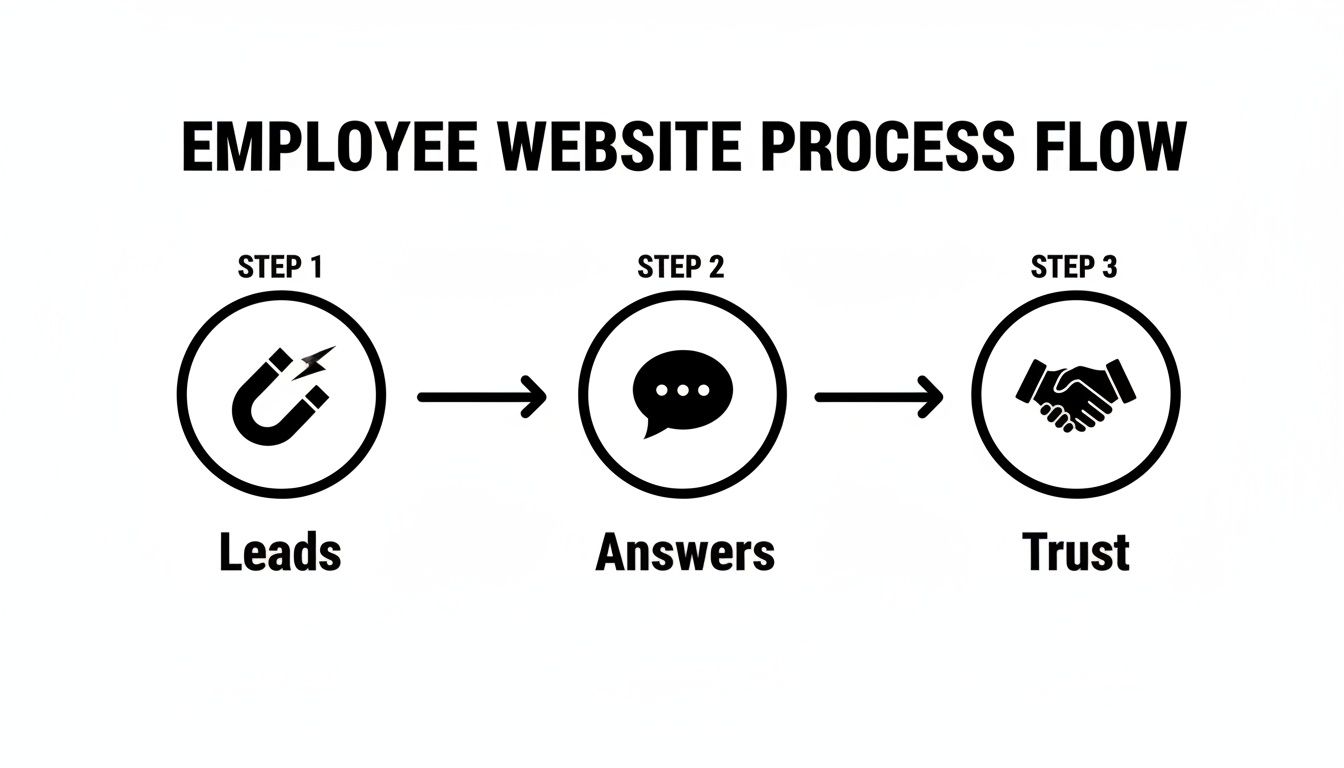
Each stage—attracting leads, answering their questions, and building trust—works together to convert a casual browser into a loyal customer.
Of course, planning also means budgeting. While you can certainly create an affordable website on your own, it's good to know the industry rates for professional help. The investment for a custom design often falls between $2,000 and $9,000, though many agencies offer basic setups in the $1,000 to $1,500 range.
Choosing Your Tools Without the Technical Headache
The tech side of building a website can feel overwhelming. The good news? You only need to make a few smart choices upfront to avoid problems later. This isn't about becoming a tech expert; it's about picking a solid foundation for your online presence.
For most small businesses, WordPress is the best choice. It’s a free tool that powers over 43% of all websites for one simple reason: it gives you total control. Unlike other website builders that can lock you in, WordPress lets you grow, change, and move your site whenever you want.
Your Website’s Design and Bones
Once you choose WordPress, your next big decision is picking a "theme." A theme is like the design template for your site—it controls the layout, colors, and fonts without you having to touch any code.
There are thousands of themes, but starting with a simple and fast one is a great move. A fast site is critical for keeping impatient visitors from leaving. More importantly, a good theme is built for easy customization, so you can make it look like your business, not a generic template. This is a huge part of effective website design for small business—making professional tools easy to use. If you're weighing your options, our guide on choosing a small business website builder offers more perspective.
Simple Comparison: Choosing a platform is like choosing between renting a storefront (Wix/Squarespace) and owning the building (WordPress). Owning gives you more freedom to renovate and grow without restrictions.
Where Your Website Lives Online
Finally, every website needs a place to live on the internet. This is called hosting. Think of it as renting a small plot of land online where your website's files are stored so people can find you. For a new business, a basic hosting plan is usually the perfect, affordable starting point, often costing just a few dollars a month.
As you start, it’s important to learn how to choose a web hosting provider that fits your needs. Companies like SiteGround or Bluehost are popular for beginners because they offer great customer support and usually have a simple one-click process to get WordPress installed.
Designing a Website That Actually Gets You Customers
It’s easy to get distracted by flashy designs, but a beautiful website that confuses visitors is useless. A simple, clear site that tells people exactly what to do? That’s a money-making machine.
Good website design for small business isn't about winning art awards; it's about making it dead simple for someone to understand what you do and how to hire you. The focus should be on the user's experience—what they feel and do the second they land on your page. A cluttered, slow, or confusing design will send them straight to your competitors.

Keep It Simple and Obvious
Imagine a potential customer lands on your homepage after a long day. They don’t want to solve a puzzle. Your website layout needs to be clean and uncluttered, with plenty of "white space" (the empty area around text and images) to make everything easy to read.
Use big, obvious headings that tell people exactly what each section is about. Someone should be able to scan your page in five seconds and understand what you offer.
Here’s a practical checklist for a clean layout:
- Big, Readable Font: Don't make people squint. Pick a simple, professional font.
- High-Contrast Colors: Stick to the basics, like dark text on a light background.
- One Goal Per Page: Every page should have one clear purpose. Your Services page describes your services. Your Contact page makes it easy to get in touch. No distractions.
Make Your Contact Info Impossible to Miss
This sounds basic, but many websites hide their phone number. Put your most important contact method—your phone number or a "Request a Quote" button—in the top right corner of every single page.
Next, create a prominent "Call to Action" (CTA) button. This is your main "what to do next" instruction, like "Get a Free Quote." Make it a bright, contrasting color so it stands out.
If a visitor has to hunt for a way to contact you, they won't. They’ll just leave and call your competitor.
Prioritize Mobile and Speed Above All Else
Most of your customers will find you on their phones. If your website is a pain to use on a small screen—forcing them to pinch and zoom—you are losing business. A mobile-friendly design isn't a bonus feature; it's a requirement.
Speed is just as critical. A slow-loading website is a business killer. Studies show that 53% of mobile visitors leave if a page takes more than three seconds to load. Getting these details right pays off. You can learn more about these powerful website design trends on freshmovemedia.com.
Writing Content That Speaks to Your Customers and Google
A great design is useless if the words on the page don't connect with your customers. Think of your website's text, images, and videos as your best salesperson. This is where we’ll get your content—and a little bit of SEO—working for you.
Don't let the term "SEO" (Search Engine Optimization) scare you. It’s just the process of making it clear to Google what your business does, so it can show your site to people already looking for your services.
Speak Your Customer’s Language
When potential customers search online, they use everyday language to describe their problems. Your job is to use those same words on your website.
These search phrases are called keywords. For example, a homeowner in Phoenix isn’t searching for “residential irrigation solutions.” They’re typing “sprinkler repair Phoenix” into Google. That simple phrase is your keyword.
When you use these terms in your headlines and service descriptions, you're not trying to trick Google. You're simply confirming to both search engines and human visitors that they’ve found the right place.
The Simple Formula for a Perfect Service Page
Every service you offer should have its own page. This helps you show up in more specific searches and gives potential customers the focused information they need.
Here’s a simple structure that works:
- Start with their Problem: Use a headline that speaks to their frustration. For example, “Is a Leaky Faucet Driving You Crazy?”
- Introduce Your Solution: Immediately explain how your service solves that problem.
- Show Your Work: Add before-and-after photos, a short video, or a quote from a happy customer. This builds instant trust.
- Tell Them What to Do Next: End with a clear call to action, like a big “Request a Free Estimate” button.
People don't buy what you do; they buy what you can do for them. Always frame your services as solutions to their problems.
Your Secret Weapon for Beating Writer’s Block
Staring at a blank page is a massive time-waster for a busy business owner. This is where modern tools can help. AI-powered writing assistants can help you brainstorm headlines, outline a blog post, or even draft an entire service description in minutes.
You’ll still need to add your own expertise and personality to make it sound like you, but these tools can get you 80% of the way there, saving you hours.
If you're interested, you can learn more about how to use AI content creation tools to make your writing process faster. This is a core part of a modern website design for small business strategy, letting you create great content without taking time away from your business.
Your Questions Answered
Building a new website brings up a lot of questions. Here are straightforward answers to what we hear most often from small business owners.
How Much Should I Budget for a Small Business Website?
The honest answer is: it depends.
If you hire a professional, expect to pay between $2,000 and $9,000. If you decide to build it yourself using a tool like WordPress, your initial cost will be much lower—around $300 to $600 for the first year.
What changes the price?
- Simple informational site: A basic site with Home, About, Services, and Contact pages will be on the lower end.
- Site with special features: Adding online booking or an e-commerce shop will cost more because it's more complex.
Don't forget ongoing costs like hosting ($150-$400/year) and optional maintenance to keep your site secure ($500-$1,200/year).
How Long Does It Take to Build a Small Business Website?
The timeline depends on who builds it and if your content is ready.
If you’re building it yourself, plan for at least 40-60 hours. This gives you time to learn the tools, set everything up, and write your content.
Hiring a pro? A standard website usually takes about 4 to 8 weeks from start to finish.
Pro Tip: The biggest delay in most website projects is waiting for the text and photos from the business owner. Have your content ready before you start to launch much faster.
Can I Really Build a Website Myself Without Being a Tech Expert?
Yes, you absolutely can. Tools like WordPress have made it possible for anyone to create a professional website without knowing how to code.
The secret is to start simple. Launch with just the essential pages: Home, About, Services, and Contact. You can always add more features like a blog or online store later as your business grows.
What Are the Most Common Mistakes to Avoid?
I see the same few mistakes over and over. Here’s how to avoid them:
- Unclear Message: When someone lands on your homepage, they should know what you do in five seconds. If they have to guess, they're gone.
- Bad on Mobile: Over half of your visitors will be on their phones. If your site is hard to use on a small screen, you're turning away customers.
- No Clear Next Step: You have to tell visitors what you want them to do. Use clear buttons like "Request a Free Quote" or "Call Us Today."
- Slow Website: A slow-loading site frustrates users and hurts your Google ranking.
Focus on being clear, mobile-friendly, and fast, and you'll be ahead of most of your competitors.
At ReadyWeb AI Blog, our goal is to make building a powerful online presence accessible and affordable for everyone. We provide practical guides and real-world advice to help you build a website that works as hard as you do. For more tips on website design for small business, check out our other articles.
Authored using Outrank