You know you need a website, but the thought of the cost, the time, and the technical headaches is enough to push it to the bottom of the to-do list.
The good news? Getting a professional website that works for you is more affordable and achievable than you think. For most small businesses, you're looking at a first-year investment of between $100 to $500. That's it.
By the end of this guide, you will have a simple, step-by-step plan to get an affordable website online that brings you new customers—without needing any technical skills. Think of it as your 24/7 online salesperson, one that never calls in sick and works tirelessly to generate leads.
Your Guide to Getting Online Without Overspending
This isn't a theoretical guide full of confusing jargon. It's a practical roadmap for service business owners, contractors, and solo operators who are short on time and need every dollar to count.
We'll focus only on what you actually need to make smart, cost-effective decisions. Let's get you a site that helps you grow.
Why Many Small Business Owners Are Building Their Own Sites
If you're thinking of building your own site, you're not alone. The data shows a clear trend: small business owners are taking control of their online presence.
- 35% of small businesses already have a website, and another 10% are building one now.
- A huge 65% of these owners built their websites themselves.
- 72% even manage their own hosting (the service that keeps their site on the internet).
What's behind this? It's simple: saving money. Nearly 27% of owners spend just $50-$100 per year on hosting. You can see more stats like these on All About Cookies. The key takeaway is that you don't need a massive budget for a professional website that gets results.
The goal isn’t just to have a website; it’s to have a tool that helps your business grow. An affordable website should pay for itself by attracting new clients, saving you time answering the same questions, and building trust before a potential customer even calls you.
To set a realistic budget, you need to know where the money goes. For a full breakdown of typical expenses, from the domain name to maintenance, check out this real-world guide to small business website cost.
Here's a quick look at the typical costs you can expect.
Your Realistic Website Budget Breakdown
| Expense Item | Typical Annual Cost | What It Is (In Plain English) |
|---|---|---|
| Domain Name | $10 – $20 | Your website's address (e.g., yourbusiness.com). |
| Website Hosting | $30 – $150 | The "rent" you pay to keep your website on the internet. |
| Website Builder | $0 – $300 | Your monthly fee for tools like Squarespace, Wix, or an AI builder. |
| Theme/Template | $0 – $75 | The pre-made design for your site. Many great free options exist. |
| Plugins/Apps | $0 – $100+ | Optional add-ons for features like contact forms or scheduling. |
As you can see, the core essentials are very affordable. Your final cost really depends on the tools you choose and any extras you add.
Choosing Your Path: DIY, Website Builder, or Pro?
Deciding how to build your site is the biggest choice you'll make. It determines your budget, your timeline, and how much hands-on work you'll do.
Let's use a simple comparison. Imagine you need a work truck for your business.
- The DIY Route: This is like buying a used truck and fixing it up yourself. It's cheaper upfront, but requires your time and effort to get it running right.
- A Website Builder: This is like leasing a brand-new truck. You pay a monthly fee, it's ready to go, and the dealership handles the maintenance. It's fast and hassle-free.
- Hiring a Pro: This is like hiring a company to build a custom truck to your exact specs. It’s the most expensive option but gets you exactly what you want without you lifting a finger.
This decision tree can help you see which path makes sense based on your budget.
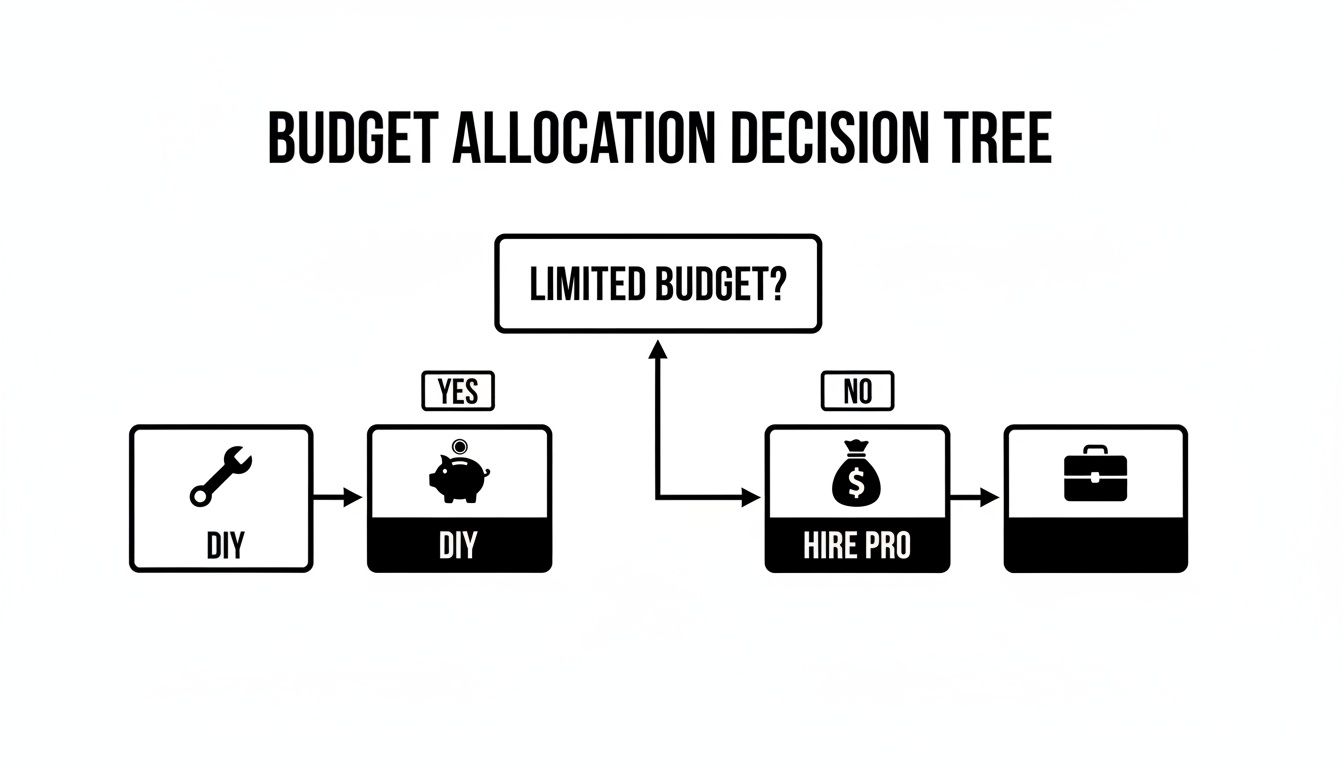
If you're on a tight budget, you'll likely trade your time for money (DIY). If you have more to invest, you can buy back your time by hiring someone.
The Do-It-Yourself (DIY) Route
Going DIY, usually with a platform like WordPress.org, gives you the most control. It’s like owning the truck—you can customize it however you want. But you're also the mechanic responsible for maintenance and repairs.
This path is best if you have more time than money and aren't afraid of a little learning. You'll set up your own hosting and be in charge of updates and security. While it has a steeper learning curve, it's also the most powerful option for the long run.
My two cents: Go DIY if you want total freedom and don't mind watching a few YouTube tutorials. It’s often the most affordable website for a small business over time, as long as you can handle the upkeep.
The All-in-One Website Builder
There’s a reason builders like Wix, Squarespace, and Shopify are so popular. They are the fastest and easiest way to get a professional site online. They package everything you need—hosting, design templates, and security—into one simple monthly fee. No technical headaches.
The trade-off? Less flexibility. You're using their tools, so adding custom features can be difficult or impossible. But for most small businesses that just need a great-looking site to show off their work and get leads, it’s a perfect fit.
Hiring a Freelancer or Agency
If you want it done right without doing it yourself, hire a professional. This is the "hands-off" approach. You provide the vision, and they handle everything else. It's the best option for business owners who know their time is better spent running their company.
The catch is the higher cost. But if every hour you spend on your website is an hour you’re not serving clients, paying an expert is often the smartest move. For more help, check out our guide on finding the best small business website builder for you.
Comparing Your Website Creation Options
Here’s a simple table to help you decide.
| Approach | Best For | Typical Cost | Time Investment |
|---|---|---|---|
| DIY (WordPress) | Owners with more time than money who want total control. | $100 – $300 to start | High upfront, moderate ongoing |
| Website Builder | Beginners who want a pro site quickly without the tech hassle. | $20 – $50 / month | Low to moderate |
| Hire a Pro | Owners who value their time and want a custom site. | $3,000 – $10,000+ | Very Low |
There's no single "best" choice—only the one that’s best for you. Be realistic about your budget, technical comfort, and how much time you can truly spend.
The Core Parts of a Website That Actually Gets Leads
An affordable website is only a good investment if it brings in business. Fancy animations don't pay the bills—turning visitors into customers does. Here are the must-haves your site needs to become a 24/7 lead-generating machine.

The Five-Second Test: Does Your Homepage Pass?
When someone lands on your homepage, you have about five seconds to convince them to stay. In that tiny window, they must instantly know the answers to three questions:
- What do you do?
- Where do you do it?
- How can I contact you?
Your headline is the key. Be clear, not clever.
- Before (Vague): "Quality Solutions, Unmatched Service"
- After (Clear): "Expert Residential Plumbers Serving the Phoenix Area"
The second example instantly tells a visitor if you can solve their problem. No guesswork means they're more likely to stick around.
The Power of a Clear "Call-to-Action"
Every page on your site should tell visitors exactly what to do next. This is your Call-to-Action (CTA). It’s usually a button that stands out and uses action words.
Avoid generic phrases like "Learn More." Instead, be specific and show the benefit:
- "Request a Free Quote"
- "Schedule Your Consultation"
- "Get My Estimate Today"
Place these buttons in obvious spots, like at the top of your homepage and after your service descriptions. Make it incredibly easy for people to take the next step. Of course, a click is just the start; you also need to build websites that convert leads into customers.
Building Trust with a Few Essential Pages
A simple website is an effective website. You don't need dozens of pages. Just a few core ones are all you need to build credibility and turn a visitor into a buyer.
An effective website doesn't need to be huge. A focused, five-page site (Home, About, Services, Testimonials, Contact) that clearly communicates your value will outperform a confusing 50-page site every time.
Here are the pages you absolutely need:
- A "Services" Page That Sells: Don't just list what you do. Briefly explain the problem you solve and the result customers get. Use bullet points so it's easy to read.
- An "About Us" Page That Builds Trust: This is your chance to connect. Share a quick story about why you started the business, add a photo of yourself or the team, and mention your experience. People buy from people they trust.
- A "Contact" Page That Works: This might be your most important page. Make sure it has your phone number, business address (with a map, if you have a physical location), and a simple contact form. Only ask for the basics: name, email, phone, and a short message.
Using Smart Tools to Save Time and Money

As a business owner, your most valuable resource isn't money—it's time. Building an affordable website means working smarter. This is where modern tools, especially Artificial Intelligence (AI), can feel like adding a new employee to your team.
Think of AI as a helpful assistant. It can’t replace your expertise, but it can handle tedious tasks. Instead of staring at a blank screen trying to write your "About Us" page, you can give an AI tool a few bullet points about your business and get a polished draft back in seconds. It’s about getting a solid first draft that you can then edit to sound like you.
Example: A home renovation contractor could use an AI tool to quickly generate detailed descriptions for each service (like "kitchen remodeling" or "deck installation"), saving hours better spent on a job site.
Writing Website Content Without the Struggle
Getting the words on the page is often the hardest part. AI writing tools can drastically cut down this effort.
Here’s how you can use AI right away:
- Generate Service Descriptions: Give it a list of your services ("leak repair," "drain cleaning") and ask the AI to expand them into customer-friendly paragraphs.
- Draft an 'About Us' Story: Share a few details—when you started, your mission—and let the tool create a story you can tweak.
- Create Project Descriptions: Upload a photo of a finished kitchen remodel and ask the AI to write a short paragraph about the project for your portfolio.
These AI content creation tools help you get past writer's block and get your site done faster.
Finding Professional Photos for Free
High-quality images make your site look trustworthy, but a professional photographer is expensive. You don't need one.
Pro Tip: Blurry, poorly lit phone pictures do more harm than good. Using a high-quality, free stock photo is always better than using a bad personal photo.
Websites like Pexels, Unsplash, and Canva offer stunning, professional photos that are completely free to use for your business.
Whether you need a picture of a family for a realtor site or a clean kitchen for a contractor's portfolio, you can find it without spending a dime. This simple step can make your whole website look more professional.
Your Simple Launch and Maintenance Checklist
Hitting ‘publish’ feels great, but it’s not the end. Think of your website like your work truck—it needs a little upkeep to keep running smoothly.
This final checklist will ensure a smooth launch and a painless maintenance routine.
Before You Go Live
Before you share your site with the world, run through these quick but critical checks.
- Test on Your Phone: Over half of all website traffic comes from mobile devices. Open your site on your phone. Can you read the text? Are the buttons easy to tap? This is a must.
- Proofread Out Loud: Read every word on every page out loud. It sounds silly, but it forces you to catch typos and awkward sentences you'd otherwise miss.
- Click Every Link and Button: Make sure every link goes to the right place and every button works. A broken link is a dead end for a potential customer.
- Test Your Contact Form: Fill out your own contact form to make sure you actually receive the message. Many business owners miss leads because their form notifications go to spam or aren't set up correctly.
Your 30-Minute Monthly Check-Up
"Website maintenance" sounds complicated, but it's not. You can keep everything in perfect working order in less time than it takes to drink your morning coffee. Just set a calendar reminder for the first of every month.
Your website is like your work truck. You don't have to be a mechanic, but you do need to check the tire pressure and get the oil changed. A little regular upkeep prevents big, expensive problems.
What to Do Each Month
This simple routine keeps your site secure, up-to-date, and working for you.
- Run Updates (For WordPress Users): If you use WordPress, you'll see notifications for plugins that need updating. Back up your site first (most hosting has a one-click backup tool), then just click "update." This is the most important step for security. If you're on a builder like Wix or Squarespace, they do this for you!
- Check for Broken Links: Over time, links can break. Use a free tool like Broken Link Check to scan your site. Fixing dead links takes minutes and is good for visitors and search engines.
- Review Your Core Information: Take two minutes to read your homepage, services, and contact pages. Is your phone number correct? Are your hours up-to-date? This quick check ensures customers always have accurate information.
Common Questions About Affordable Websites
Here are some direct, no-nonsense answers to the most common questions from small business owners.
How Much Should a Simple Small Business Website Really Cost?
For a basic, professional website, you should expect to spend between $100 to $500 for the entire first year. This covers your domain name (yourbusiness.com, about $15/year), web hosting ($5-$15/month), and a website builder subscription or a good theme for WordPress.
You can often get the cost even lower, as many hosts include a free domain for the first year. Be wary of anyone quoting thousands of dollars unless you need complex features like a full e-commerce store with hundreds of products.
Can I Really Build a Website Myself with Zero Tech Skills?
Yes, absolutely. This is the biggest myth holding people back.
Modern website builders like Wix, Squarespace, and GoDaddy were made for people who are not tech-savvy. They use simple drag-and-drop editors that feel like creating a presentation.
If you can use Facebook or Microsoft Word, you have the skills to build a great-looking website. The trick is to start with a simple template and not get distracted by advanced features you don't need.
The goal is to get a professional site live, not to become a web designer overnight. Just choose a template you like, replace the placeholder text and images with your own, and hit publish. You can always add more later.
How Long Does It Take to Build an Affordable Website?
If you're focused, you can get a simple 3-5 page website live in a single weekend. This is very achievable with a template-based website builder.
This timeline assumes you're building the core pages every business needs: Home, About, Services, and Contact.
Honestly, the part that takes the most time is writing the content and gathering photos. To speed things up, use AI tools to help draft your text and get free, high-quality stock photos from sites like Pexels or Unsplash.
What Maintenance Is Required After My Website Is Live?
Ongoing maintenance is minimal and completely manageable, even for a non-technical person.
Here’s a simple breakdown:
- Using a website builder (Wix, Squarespace, etc.): They handle all the technical maintenance—security, software updates—for you. Your only job is to update your business info, like hours or photos.
- Using WordPress: You'll want to log in about once a month to click the "update" button for your plugins and theme. This is critical for security.
That’s pretty much it. For most small businesses, "maintenance" just means keeping your business information accurate.
Ready to stop worrying about your website and start getting leads? The ReadyWeb AI Blog provides simple, actionable guides to help you build and manage a powerful online presence without the technical headaches. Visit us at https://blog.readywebai.com to learn more.
Refined using Outrank app